


Milling Machines price list
Last updated Friday, Nov 13, 2026

View 9 Offers
Loading...
Last updated Friday, Nov 13, 2026
Choosing the right machine can feel like selecting the perfect tool from a crowded workshop. Should you look for a traditional milling solution, a compact CNC component, or a laser engraver that can cut and mark materials with impressive detail? The answer depends on your project, workspace, materials, and preferred method of production.
In the current selection, you will find CNC-machined metal components alongside several diode laser engravers from ATOMSTACK, SCULPFUN, and LONGER. These products serve different purposes, but they share a common goal: helping you create accurate results with less guesswork. ZoneOffer is a comparison site, so the listings below are presented to help you compare products and make a more informed shopping decision. It is not a store.
Milling machines remove material with a cutting tool, while laser engravers use focused light to mark or cut a surface. Think of milling as carving with a rotating blade and laser engraving as drawing with a highly concentrated beam. Both approaches can support detailed work, but they are not interchangeable.
The reference selection includes custom CNC aluminum parts, stainless steel components, brass items, and precision machining services or products. It also includes laser machines designed for engraving and cutting. If you are searching broadly for tools and equipment for a workshop, comparing both categories may help you identify the technology that matches your project.
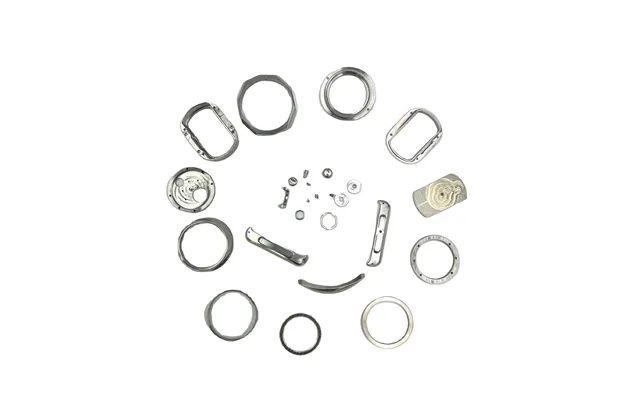
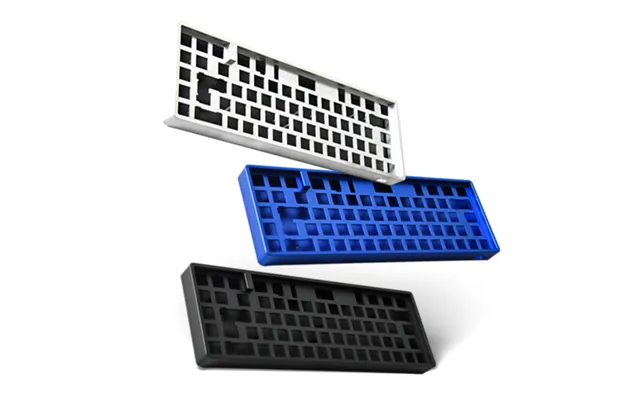
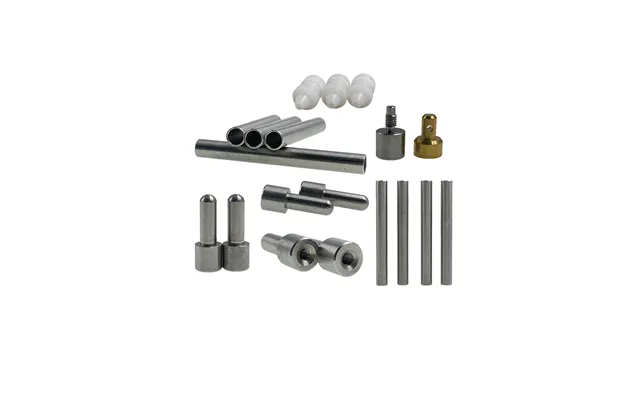
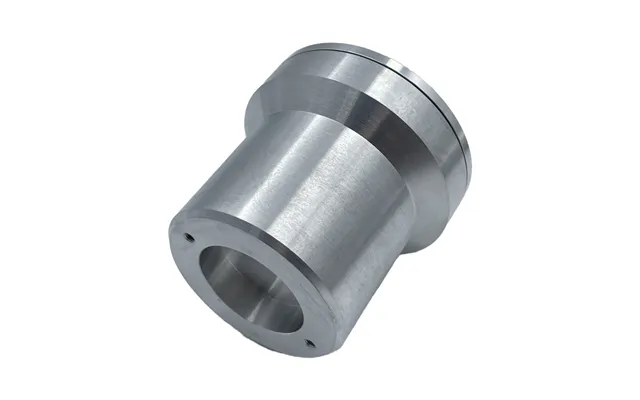
Several listings focus on custom-made CNC components rather than complete desktop milling machines. Examples include polished aluminum 6063 parts, anodized aluminum mechanical keyboard components, CNC-machined 316 stainless steel watch parts, and products involving stainless steel or brass.
These listings may appeal to buyers who need small precision components for a prototype, repair, mechanical project, or custom build. The listed offers include prices of 0.44, 0.99, 0.50, and 0.72 respectively. Because these are highly specialized listings, review the product details carefully before deciding whether a component matches your dimensions, finish, material, and intended application.
Laser engravers vary in optical power, working area, control method, focusing system, and safety features. A higher-power laser may be better suited to demanding cutting tasks, while a smaller machine can make more sense when you value portability or have limited bench space.
You should also consider how you want to operate the machine. Some models support Wi-Fi, Bluetooth, mobile applications, offline operation, or computer software such as LaserGRBL and LightBurn. The best interface is the one that fits your workflow. If you prefer to prepare designs on a computer, software compatibility matters. If you want a more independent setup, offline controls may be more convenient.
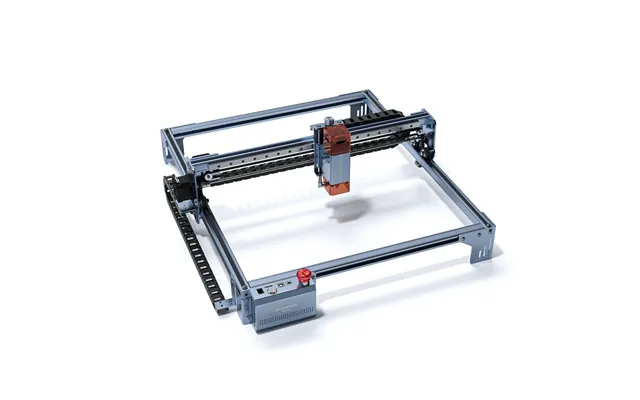
The ATOMSTACK A5 V2 offers an engraving area of approximately 16.1 by 15.7 inches. That gives you room for signs, panels, artwork, and other medium-sized projects while still keeping the machine suitable for a home workshop.
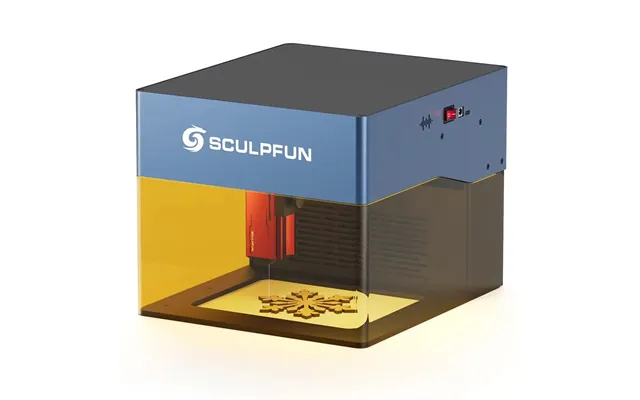
The SCULPFUN iCube Pro Max has a smaller engraving area of about 4.7 by 4.7 inches. Its compact format may suit smaller objects, detailed pieces, and users who value a portable design. Before choosing, measure your available workspace and the materials you expect to use. A machine can have impressive specifications, but it still needs a comfortable place to operate.
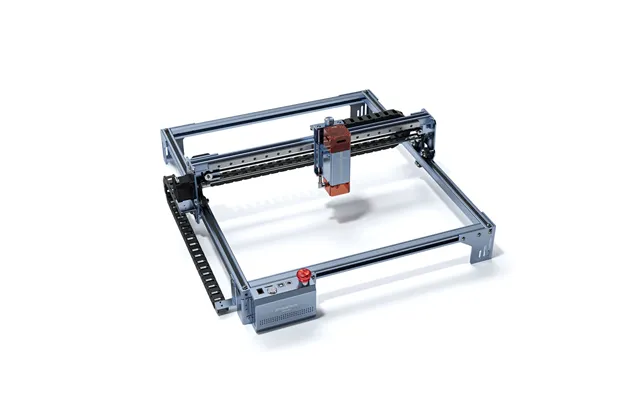
The ATOMSTACK A10 V2 is listed with a 12-watt dual-diode laser and a focal length of about 1.97 inches. Its listed maximum engraving speed is approximately 945 inches per minute. The product description highlights its ability to work with materials such as wood and acrylic, including thicker project materials.
This model may be worth comparing if you want a laser engraver built around stronger cutting performance and fast operation. Its linear guide rail and tank-chain design are described as supporting stability during movement. The listing also states that the machine supports Wi-Fi and offline control, giving you flexibility in how you manage projects.
Laser focus is similar to adjusting a camera lens. When the beam is concentrated correctly, energy is directed into a smaller area, which can support cleaner details and more efficient cutting. The A10 V2’s extended focal length is presented as a feature intended to improve cutting efficiency and reduce material distortion.
Its listed price is 503, and the offer appears through Banggood.com. The reference data identifies ATOMSTACK as the brand. Since the listing does not provide a regular price, it is better to treat the displayed figure as the available listed price rather than assume a specific discount.
The ATOMSTACK A5 V2 is listed with a 6-watt laser, a working area of approximately 16.1 by 15.7 inches, and claimed engraving accuracy of about 0.0004 inch. It uses a fixed-focus laser and supports USB connection. The listing also identifies compatibility with LaserGRBL and LightBurn on Windows systems.
This combination may appeal to makers who want a reasonably large working area and a straightforward computer-based workflow. The product description also mentions a 32-bit motherboard, app-based offline support, and a maximum operating speed of approximately 15,748 inches per minute.
The A5 V2 could be a practical option for hobbyists, home creators, and users developing their engraving skills. Its fixed-focus design may simplify setup, while USB connectivity keeps the operating process familiar for many computer users.
The listing shows a price of 503 through Banggood.Com and identifies ATOMSTACK as the brand. The product description mentions compatibility with a wide variety of materials, but it does not provide a complete material list in the reference data. Always confirm the material guidance before beginning a new project.
The SCULPFUN iCube Pro Max is listed with a 10-watt diode laser, a laser spot of approximately 0.0031 inch, and an engraving speed of up to about 394 inches per minute. Its working area is approximately 4.7 by 4.7 inches, making it notably more compact than the ATOMSTACK A5 V2 and A10 V2.
One of its standout listed features is an integrated smoke filtration system. The description says this system is designed to filter smoke produced during engraving and cutting without requiring an enclosure. That may make the machine attractive to users who want a compact setup for a home or office environment, though good ventilation and safe operating habits remain important.
The iCube Pro Max supports several connection options, including Bluetooth, Type-C, Wi-Fi, and mobile-phone connectivity through the SCULPFUN app. The listing also mentions support for LightBurn and LaserGRBL, along with compatibility across Windows, Mac, iOS, Android, and Linux systems.
The listed price is 699 through Banggood.Com, and the brand is SCULPFUN. Its compact design, smoke filtration feature, and multiple connection methods make it a product to compare when convenience matters as much as raw workspace size.
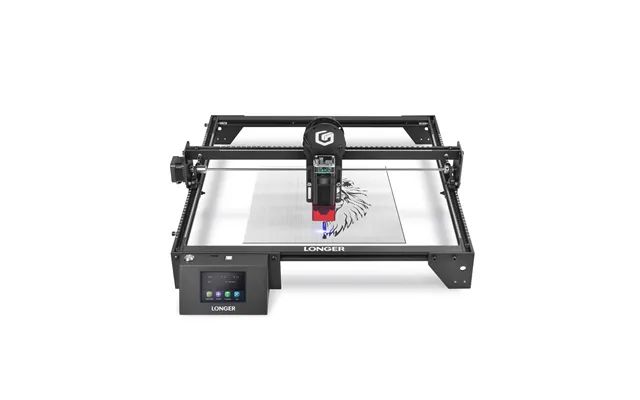
The LONGER Ray5 is listed with a 5.5-watt laser, a 3.5-inch touchscreen, and a compressed laser point measuring approximately 0.0031 by 0.0031 inch. The description highlights offline carving, allowing users to save a file to a TF card and operate the machine without keeping a computer connected throughout the process.
This can be useful when you want a more independent workflow. Instead of treating your computer as the machine’s permanent control center, you can prepare a project, transfer it, and manage the engraving through the built-in interface.
The Ray5 listing describes movement protection and thermal protection. According to the product details, movement protection can initiate an automatic shutdown if the machine is moved during operation, while thermal protection can shut the machine down if it detects a flame or excessive heat in the engraving area.
The product also includes a 32-bit ESP32 chipset and Wi-Fi connectivity through a webpage or app. Its listed price is 369 through Banggood.Com, and LONGER is identified as the brand. If you value touchscreen operation and offline capability, this model deserves a closer look.
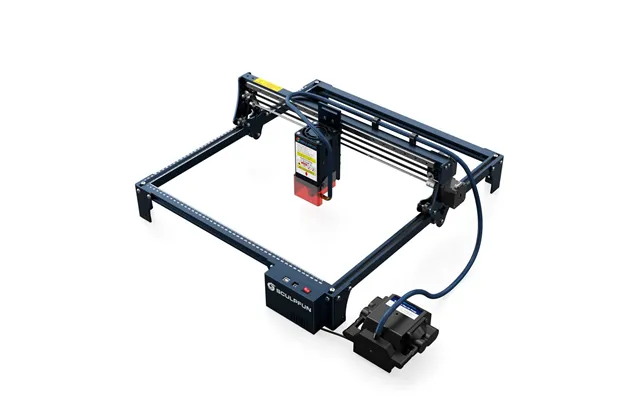
The SCULPFUN S30 Pro Max is listed with a 20-watt laser and an automatically controlled air-assist system. Air assistance can help move smoke and residue away from the cutting area. The product description says its high-pressure air-assist nozzle can improve cutting efficiency and produce a cleaner cut surface.
The listing also states that the S30 series uses a 32-bit motherboard and can control the air pump through LightBurn. This approach is designed to make air assistance responsive to the engraving or cutting process rather than simply leaving it running continuously.
The S30 series description references 5-watt, 10-watt, and 20-watt laser options. The S30 Pro Max represents the 20-watt option in this listing and is described as being aimed at users who prioritize cutting speed, including professionals, shops, or factories.
Its listed price is 799 through Banggood.Com, and the brand is SCULPFUN. If cutting speed and air-assisted performance are central to your projects, this model may be more suitable than a lower-power machine. If you mainly create fine surface designs, however, you may not need to prioritize the highest listed power level.
Each product has a different balance of size, power, controls, and convenience. The ATOMSTACK A10 V2 is listed with the highest laser power among the ATOMSTACK products in this selection, at 12 watts. The ATOMSTACK A5 V2 offers a larger work area with a 6-watt laser and USB connection.
The SCULPFUN iCube Pro Max focuses on compact operation, smoke filtration, and flexible connectivity. The LONGER Ray5 emphasizes touchscreen control, offline use, and safety protection features. The SCULPFUN S30 Pro Max combines 20-watt power with automatic air assistance for users focused on cutting performance.
Among the featured laser engravers, the reference listings show the following prices: LONGER Ray5 at 369, ATOMSTACK A10 V2 at 503, ATOMSTACK A5 V2 at 503, SCULPFUN iCube Pro Max at 699, and SCULPFUN S30 Pro Max at 799. These figures are the prices shown in the supplied data and may not represent a permanent price or a confirmed discount.
The CNC component listings show prices of 0.44, 0.99, 0.50, and 0.72. They are associated with Alibaba in the reference data. The offer descriptions mention exclusive perks of up to US 500 off, but the data does not explain eligibility, terms, or whether the perk applies to every listed product. Compare the offer details carefully before making a decision.
Start with the material and task. If you need a custom metal component, the CNC listings may be more relevant than a laser engraver. If you want to mark wood, acrylic, or similar project materials, a diode laser could be the better match.
Next, consider the size of your designs. A large engraving area gives you more room for signs and panels, while a compact working area can be easier to manage in a small studio. Then think about controls. Do you want touchscreen operation, mobile access, Wi-Fi, USB, or offline files?
Finally, consider the level of cutting performance you actually need. More power can be useful for demanding cuts, but it should not be the only deciding factor. A machine is like a camera: the most powerful option is not automatically the best choice if its size, controls, or workflow do not suit you.
Read the full listing rather than relying on the product title alone. Product titles in this category can be long and may combine several features, materials, or use cases. Confirm the working area, laser power, supported software, connection type, and any included accessories that matter to your project.
It is also wise to compare the machine’s footprint with your available bench space. Remember that operating space, ventilation, material handling, and safety equipment may require more room than the machine itself. Planning ahead can prevent a promising purchase from becoming an awkward fit.
Use ZoneOffer to compare the available listings, brands, stores, product specifications, and displayed prices in one place. Since ZoneOffer is a comparison site rather than a retailer, review the external offer details before placing an order.
The right milling or engraving solution depends on what you want to make. CNC aluminum, stainless steel, and brass components may suit specialized mechanical projects, while the ATOMSTACK, SCULPFUN, and LONGER laser engravers offer different combinations of power, work area, connectivity, offline control, and air or smoke management. Compare each feature against your materials, workspace, and workflow, and you will be far more likely to choose a machine that feels like a helpful workshop partner rather than an expensive puzzle.