

Concentrators & Multiplexers price list
Last updated Friday, Nov 6, 2026





View 10 Offers


Loading...
Last updated Friday, Nov 6, 2026
Choosing the right concentrator, multiplexer, splitter, KVM switch, or network distribution device can feel like assembling a puzzle with pieces from different boxes. Each product may solve a specific connectivity problem, but the best choice depends on what you need to connect, how far signals must travel, and how much control you want over your setup.
This guide explores selected concentrators and multiplexers listed through ZoneOffer, a comparison site that helps shoppers review products and prices from participating sellers. The selection includes telephone and data distribution equipment, antenna splitters, marine network accessories, KVM switches, AV-over-IP hardware, and network audio ports.
Rather than treating every device as interchangeable, think of your network as a busy highway. Some products create more lanes, some direct traffic, and others let several signals share the same route. Understanding that difference can help you compare options with greater confidence.
A concentrator generally brings multiple connections together so they can be managed or distributed through a central point. In networking and structured cabling, this can simplify installation and reduce the need for scattered connection points.
A multiplexer combines multiple signals or sources into a shared connection or display path. In practical terms, it can help several devices use one monitor, one network route, or one distribution system. The exact function depends on the product category, so reading the specifications remains essential.
The products in this selection cover more than traditional computer networking. Some focus on telephone, data, and cable distribution, while others handle HDMI, DisplayPort, USB, Ethernet, audio, or marine network connections.
Start by identifying the signals you need to manage. Are you distributing telephone and data connections? Sharing one display among several computers? Combining video sources for a multiview screen? Or extending AV signals across a network?
Next, consider the number of ports and sources. A device designed for four computers will not offer the same workflow as one made for two computers and three monitors. Similarly, a four-source video processor may be a better fit for a sports bar or control area than a basic display switch.
Resolution and refresh rate also matter for video equipment. If you use a gaming display, for example, refresh-rate support can be just as important as resolution. For structured cabling, physical dimensions, mounting style, and included modules may matter more than display specifications.
Port type is one of the quickest ways to narrow your choices. HDMI, DisplayPort, USB, Ethernet, telephone, CATV, and marine networking connections serve different purposes. A product may be powerful, but it still needs to match the connectors and equipment already in your system.
Compatibility should be checked before purchase. The AV Access 4K HDMI over IP multiview processor, for instance, is described as working with 4KIP200 series encoders. The AV Access 4K HDMI over IP encoder is described as working with the 4KIP200D decoder. These details show why product ecosystems can be important when building a larger system.
The ICC ICRDSMMBK1 Combo Net Media Center Surface Mount Mini is designed as a compact, wall-mounted network center. Its listed dimensions are 7.5 inches in height and 3.5 inches in depth, making it suited to installations where conserving space is a priority.
This two-piece mini network center includes distribution modules for several connection types. The included equipment consists of an 8-port telephone module with an RJ31X jack, an 8-port data module, and a 1x4 CATV splitter.
At a listed price of $52.12 from The Twister Group, this ICC product may appeal to users seeking a compact way to organize telephone, data, and cable distribution in one wall-mounted location. Its combination of modules is the main feature to examine when comparing it with standalone components.
The selection includes two Edgewater Intelligent Edge C2E devices: the Edge-2900E-901-C2E 2900E and the Edge-2900A-901-C2E 2900A. Both are presented as intelligent edge products, but the reference data does not provide detailed differences in their functions.
The Edge-2900E-901-C2E is listed at $269.12 from The Twister Group, while the Edge-2900A-901-C2E is listed at $315.12 from the same store. Since the descriptions are brief, shoppers should compare the manufacturer documentation and compatibility information before deciding between them.
These products may be relevant when you need equipment positioned at the edge of a network or communications setup. However, the right choice should be based on the exact network architecture, supported connections, and intended workload rather than price alone.
The Engenius SN-ULTRA-AS is described as a replacement antenna splitter for the DuraFon and DuraFonAS systems. It is listed with antenna support and dimensions of 13 inches by 12 inches by 1.5 inches.
The product weighs 2.2 pounds and is identified as RoHS compliant in the provided information. The listing also states that it comes in retail-box packaging and includes a 90-day warranty. The country of origin is listed as Taiwan, with the information identified as provided by the manufacturer and not verified.
At a listed price of $83.12 from The Twister Group, this Engenius splitter is a focused replacement component rather than a general-purpose networking hub. Its system compatibility is the key consideration, so confirm that your existing equipment matches the described DuraFon application.
The Simrad 24006298 SimNet 7-Prong Multi-Joiner is designed for a SimNet connection environment. As its name suggests, it provides a multi-joiner format with seven prongs, making it relevant to marine electronics installations that use compatible SimNet equipment.
The listed price is $59.12 from The Twister Group. Because marine networking components often depend on a particular connection standard and system layout, compatibility should come first. A low-cost connector is only useful if it matches the ports, cabling, and devices in your boat’s electronics system.
When comparing marine networking accessories, consider how many connections you need, where the joiner will be installed, and whether your existing equipment is built for the same network technology.
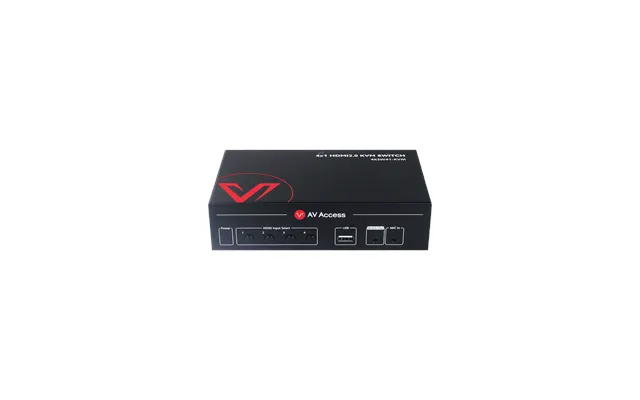
The AV Access 4K HDMI KVM Switch is designed for sharing control of up to four PCs. It includes three USB ports and supports 4K video with HDMI 2.0 and HDCP 2.2 compatibility, according to the listing.
The device supports 2,560 by 1,440 at 144Hz and 1,080p at 120Hz. Those specifications make it especially relevant to users who want to switch between computers while maintaining a smoother display experience for gaming or fast-moving content.
At a listed price of $85.99 from AV Access, this switch may suit a home office or gaming setup where several computers share one display and control arrangement. Before choosing it, check the video outputs, USB needs, and display resolution you plan to use.
A KVM switch works like a traffic controller for your workstation. Instead of duplicating a keyboard, mouse, and display for every computer, you can use one control setup and switch between systems.
The AV Access model supports four PCs, which can be useful if you regularly move between work, testing, gaming, or other computer tasks. The included USB ports also matter because they help connect shared peripherals, although your exact setup should be checked against the device specifications.
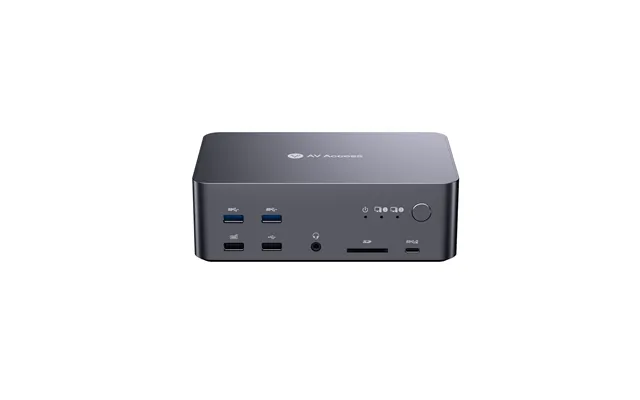
The AV Access iDock D23 is an 8K DisplayPort KVM switch and docking station for two PCs. It features a triple-monitor design, 1G Ethernet, USB 3.0, and support for 165Hz, 144Hz, and 120Hz gaming refresh rates.
This product is aimed at users who want a more advanced multi-display workstation. The triple-monitor design can help create a broad workspace for productivity, monitoring, editing, or gaming, while the KVM function allows two computers to share the setup.
Listed at $219.99 from AV Access, the iDock D23 is positioned above a basic HDMI KVM switch because it combines docking, multi-monitor support, DisplayPort connectivity, Ethernet, and USB features. Make sure your computers and monitors use compatible connections before selecting it.
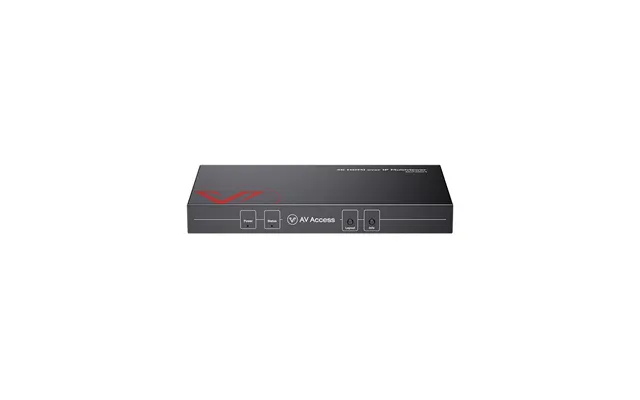
The AV Access 4KIP200M is a 4K HDMI over IP multiview processor. It is described as working with 4KIP200 series encoders and displaying up to four AV sources on a single screen using different layouts.
This type of equipment can be useful when viewers need to see several sources at once. For example, a sports bar or monitoring area may benefit from a quad-view arrangement instead of switching between individual inputs one at a time.
The product is listed at $899.00 from AV Access. Because the processor is part of an AV-over-IP setup, it should be evaluated alongside compatible encoders, network infrastructure, displays, and the required viewing layout.
A multiview processor is similar to a dashboard that places several windows on one screen. Instead of treating each video source as a separate destination, it organizes multiple feeds into a shared visual layout.
The 4KIP200M listing specifically mentions up to four AV sources and different layouts. That means you should think about how many sources you need to display at the same time and whether the available layout options match your viewing environment.
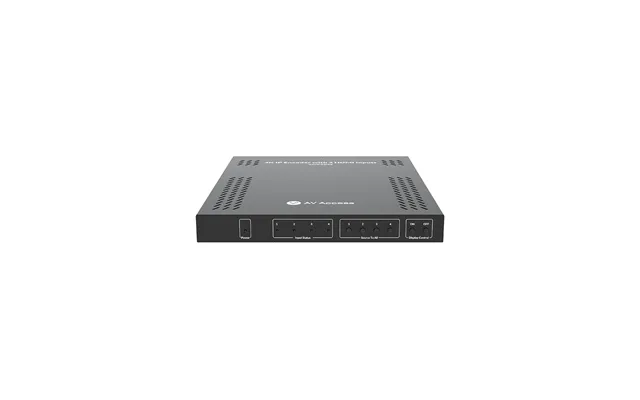
The AV Access 4KIP204E is described as a zero-configuration 4-in-1 4K AV-over-IP encoder. It distributes four 4K HDMI signals to a 4KIP200D decoder over a distance of up to 394 feet.
This device may be relevant for installations that need to move multiple HDMI sources across a larger space. The listed distance gives you an important planning reference, although the complete system still needs compatible source devices, network equipment, cabling, and a decoder.
At a listed price of $919.99 from AV Access, the encoder is one of the higher-priced products in this selection. Its value depends on whether you need four-source 4K distribution and whether the rest of your AV-over-IP system supports the same product family.
The Valcom VIP-804B Quad Enhanced Network Audio Port is a network audio product with four-port functionality indicated by its “quad” designation. The reference listing does not provide additional technical specifications, so buyers should review the manufacturer’s documentation for detailed compatibility and installation requirements.
It is listed at $566.12 from The Twister Group. This product may be worth comparing when your project involves network-based audio distribution rather than video switching or computer control.
As with any specialized network audio device, consider the audio system it must connect to, the number of ports required, the network environment, and any associated equipment before making a final selection.
If you need wall-mounted telephone, data, and CATV distribution, the ICC mini network center is the most directly aligned option in this selection. If you need to share one control setup among several computers, compare the AV Access KVM products based on PC count, monitor design, connector type, and refresh-rate support.
For video distribution across an IP network, look closely at the AV Access 4KIP200M and 4KIP204E. The processor focuses on displaying multiple sources together, while the encoder focuses on distributing four HDMI signals to a compatible decoder.
For specialized systems, the Engenius, Simrad, and Valcom products require a closer compatibility check. They are not general-purpose substitutes for one another. One addresses antenna splitting, another is a marine multi-joiner, and the third is a network audio port.
The strongest product on paper may not be the best fit if it does not connect to your existing equipment. Write down your source devices, displays, cables, port types, network connections, and the number of simultaneous signals you need to manage.
Then compare those requirements with the product description. This simple checklist can prevent a common mistake: buying a device that solves half the problem while creating a new compatibility issue.
The products in this selection range from $52.12 for the ICC mini network center to $919.99 for the AV Access 4KIP204E encoder. Other listed prices include $59.12 for the Simrad multi-joiner, $83.12 for the Engenius antenna splitter, and $85.99 for the AV Access 4K HDMI KVM switch.
The AV Access iDock D23 is listed at $219.99, the Edgewater 2900E at $269.12, the Edgewater 2900A at $315.12, the Valcom VIP-804B at $566.12, and the AV Access 4KIP200M at $899.00.
These prices should be viewed in relation to function, not simply ranked from low to high. A small connector and a four-source AV-over-IP encoder serve entirely different jobs. ZoneOffer provides comparison information; it is not the store selling these products.
Before choosing a concentrator or multiplexer, confirm the connection standard, number of ports, supported sources, display requirements, physical installation needs, and compatibility with related equipment.
For video products, check resolution, refresh rate, HDCP support, monitor count, and distance requirements. For network and structured-cabling products, review mounting style, module types, port count, and the intended installation environment.
Finally, compare the listed price with the features you actually need. More ports, higher resolution, and broader system capability can be valuable, but only when they match your project rather than sit unused.
Concentrators and multiplexers can make complicated systems feel orderly, much like turning a tangled bundle of cables into a labeled control panel. The best choice depends on your signals, devices, distance, and expansion plans. By comparing the ICC, Edgewater, Engenius, Simrad, AV Access, and Valcom products according to their intended roles, you can narrow the field and select equipment that fits your network or AV environment more intelligently.