
Television Parts & Accessories price list
Last updated Friday, Sep 25, 2026



View 13 Offers
Loading...
Last updated Friday, Sep 25, 2026
Upgrading your television setup does not always mean buying a new TV. Sometimes, the right accessory can solve a reception problem, improve picture distribution, add smart features, or make your entertainment space feel more immersive. From digital antennas and HDMI splitters to projector lighting and adjustable screen mounts, the products in this comparison offer several ways to refresh your home theater.
ZoneOffer is a comparison site that helps you review listed products from different stores in one place. It is not a store, so prices and product details should be checked against the individual listing before you make a purchase. In this guide, we will explore the TV parts and accessories in the reference data, explain what each type does, and help you think through which option may suit your setup.
Think of your TV system as a chain. The antenna or source sends a signal, cables and splitters move it, the display shows it, and accessories such as lighting or a streaming box add convenience. If one link does not match your needs, the entire experience can feel less polished.
Start by identifying the problem you want to solve. Do you need over-the-air reception, a way to share one HDMI source across several screens, a replacement display board, a streaming interface, or a more comfortable mounting position? Defining the goal first helps you avoid buying an impressive-looking accessory that does not fit your equipment.
Connection types matter. The STEREN 254-603IV, for example, is a component video-audio cable with color-coded RCA connectors and a listed length of 3 feet. The AV Access 4KSP14-S uses HDMI and is described as a 1-input, 4-output splitter. These products serve very different roles, so matching the connector to your source and display is essential.
For smart accessories, review the listed operating system, wireless specifications, memory, and resolution support. The X96Q products in the data are described as Android TV boxes with Wi-Fi and 4K support, while the New WiFi Display Board for HD55 HDI65S is presented as a replacement display board. Those are not interchangeable categories, even though both may appear in a television accessory search.
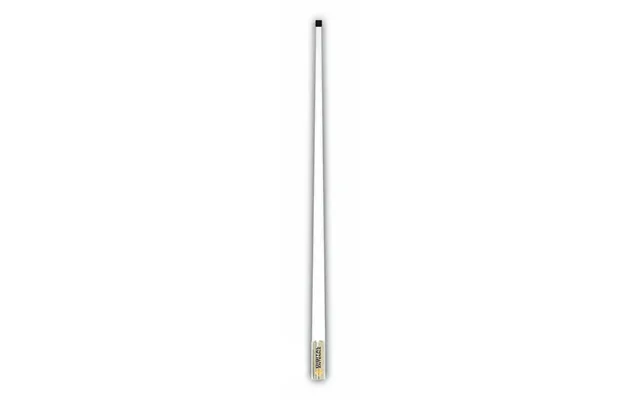
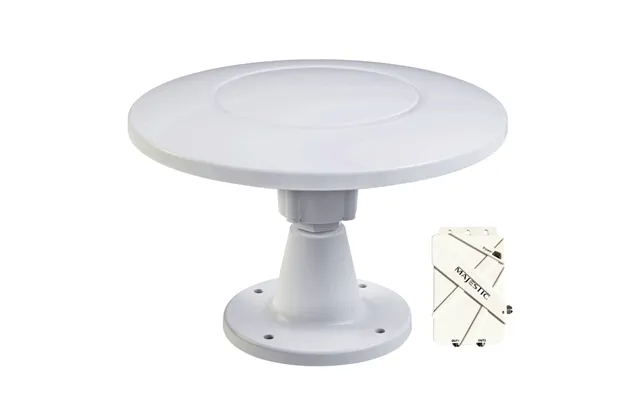
A digital antenna can be useful when you want to receive broadcast television without relying on a traditional cable connection. The reference data includes two distinct antenna options: the Digital Antenna 528-VW 4ft VHF Antenna with a 15ft cable and the Majestic UFO X Ultra High Gain 30dB Digital TV Antenna.
The Digital Antenna 528-VW is listed in white and includes a 15-foot cable. Its title identifies it as a 4-foot VHF antenna, making the cable length especially relevant when you are planning placement. A longer cable may give you more flexibility when positioning the antenna, but you should still consider the route between the antenna and television.
The Majestic UFO X is described as an ultra-high-gain digital TV antenna with 30dB gain and 12V power. Those specifications distinguish it from the Digital Antenna model. If your installation requires a powered antenna design, the 12V detail may be important to investigate before choosing.
The Digital Antenna 528-VW appears at a listed price of $219.12 from The Twister Group. The Majestic UFO X appears at $221.12 from the same store. These prices are close, but the product descriptions suggest different designs and specifications, so price alone should not decide the comparison.
Instead, ask yourself a few practical questions. Do you need the included 15-foot cable? Are you specifically looking for a VHF antenna? Does the listed 12V requirement of the Majestic model suit your installation? These questions can narrow the choice more effectively than simply selecting the lower listed price.
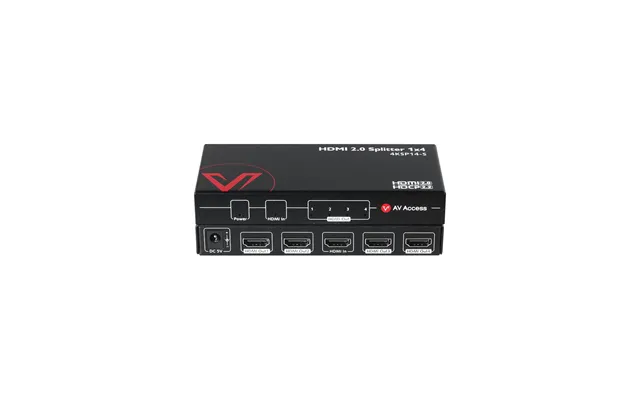
The AV Access 4KSP14-S is designed to send one HDMI input to four outputs. In simple terms, it works like a traffic director for your video signal: one source enters, and the signal can be routed to multiple displays. This can be useful for demonstrations, multi-screen viewing, or a home entertainment arrangement with more than one compatible display.
The listing identifies 4K at 60Hz support, 1080p at 120Hz support, HDR10, HDCP 2.2, and an automatic downscaler. The downscaling feature is particularly relevant when connected displays do not all support the same resolution. However, you should verify the capabilities of your source, displays, cables, and any protected content before purchase.
Imagine pouring water into several glasses of different sizes. The output cannot exceed what each glass can hold. Video equipment behaves in a similar way: a high-resolution source does not automatically make every connected display show the same resolution. A splitter with downscaling support may help manage mixed display capabilities, but compatibility remains a key part of the setup.
The AV Access 4KSP14-S is listed at $56.99 from AV Access. Compared with the antenna products, it is a more focused accessory for distributing HDMI video rather than receiving broadcast signals. If your goal is to connect one source to several screens, this type of product may be more relevant than a smart TV box or antenna.
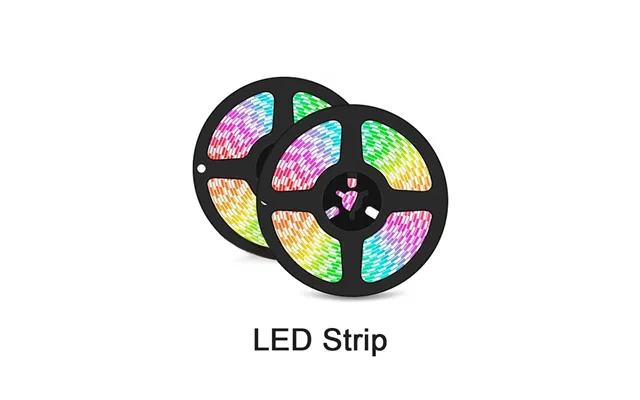
The NP Projector Screen Eclipse Smart Sync LED Strip is designed to add synchronized lighting around a TV or screen. Its description says the lighting color can change with an HDMI input and can also be controlled through an app, a switch, or voice control. The product is aimed at creating an immersive entertainment effect for movies and video games.
The listing describes a 12V, 2A maximum input and a stated lifespan of 50,000 hours. It also identifies different strip lengths for several screen-size ranges, including screens under 60 inches, screens from 60 to 75 inches, screens from 75 to 90 inches, and screens from 90 to 120 inches. For displays above 120 inches, the listing provides another length category.
Because the product uses HDMI-based synchronization, it is important to think about where the signal travels. If your source connects directly to the TV, the lighting arrangement may differ from a setup where a streaming device or game console passes through another component. Check the installation requirements and screen-size guidance in the listing before deciding.
Measure your screen in inches and compare it with the listed size ranges. Then consider whether you want app control, switch control, voice control, or HDMI synchronization. The more control methods you use, the more important it becomes to plan the power connection and placement before attaching the lighting.
The NP Projector Screen Eclipse Smart Sync LED Strip is listed at $159 from NothingProjector. It may appeal to viewers who want their screen to feel less like a black rectangle on a wall and more like the center of a cinematic space.
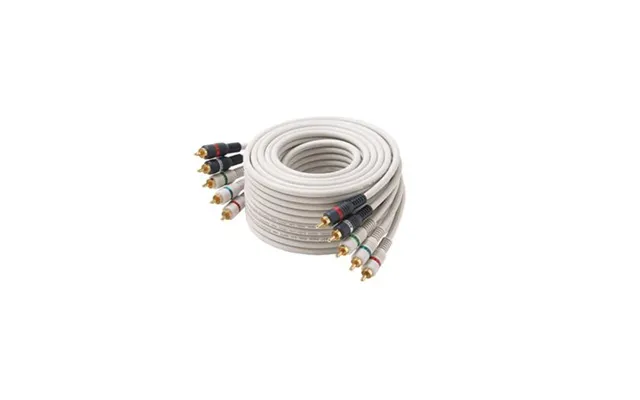
The STEREN 254-603IV is a 3-foot ivory component video-audio cable with color-coded RCA connectors. Its listing describes it as suitable for transferring a high-definition video signal between DVD players and high-end TVs or monitors. It also features a flat-ribbon configuration and a PVC jacket.
Cables are easy to overlook because they are not as visually exciting as a smart display or LED lighting system. Yet the right cable can make a setup easier to connect and organize. The 3-foot length may work well when the source and display are positioned close together, such as on the same media shelf.
A short cable can reduce extra slack and help keep a compact setup tidy. On the other hand, it may not be suitable if your DVD player or other source is positioned across the room. Measure the distance between components before ordering, and remember to allow a little room for routing without sharply bending the cable.
The STEREN cable is listed at $4.12 from The Twister Group. Its listed description also includes a 90-day warranty provided by the manufacturer, though the data notes that the information was not verified. Treat that detail as a point to confirm in the individual listing rather than as an independently confirmed policy.
The reference data includes several X96Q network set-top boxes. These products are designed to add a smart interface to a compatible television or display. They may be worth considering if your current screen lacks built-in smart features or if you want a separate device for accessing supported applications and media services.
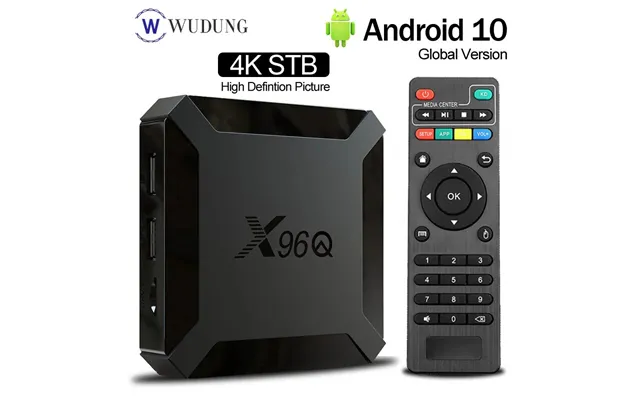
The X96Q Network Set-Top Box is described as a 4K high-definition Wi-Fi Android 10 TV box and is listed at $45.21 from Voghion. A second listing, titled Fast Shipping X96Q Android 10.0 Smart TV Box, specifies 2GB of memory, 16GB of storage, an Allwinner H313 quad-core processor, 2.4G Wi-Fi, and 4K support. It is listed at $26.57 from Voghion.
Although both listings use the X96Q name, their descriptions do not provide exactly the same level of detail. The second listing includes memory, storage, processor, and wireless information, while the first focuses more generally on Android 10, Wi-Fi, and 4K high definition.
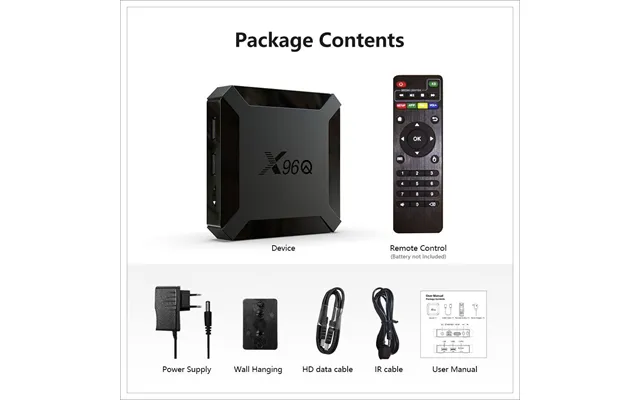
That difference is a reminder to compare the complete specifications rather than relying only on a shared product name. Check the storage capacity, memory, included accessories, operating system details, and supported outputs shown in the relevant listing. The lower listed price may be attractive, but the best match depends on the features your system actually needs.
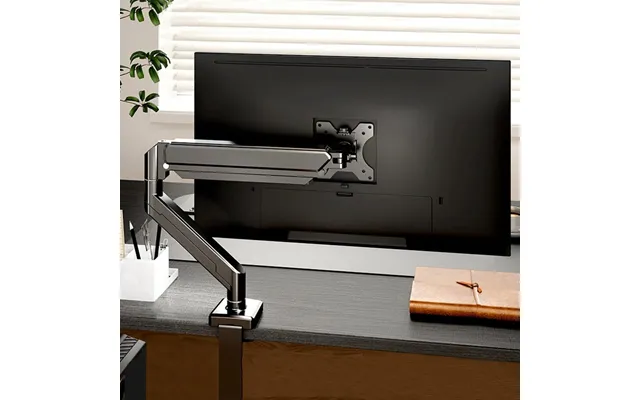
The Single Mount Bracket for 14 to 32-inch Screens is an adjustable arm with a C-clamp and is described as a home office monitor stand. It is listed at $57.10 from Voghion. While the title references screens from 14 to 32 inches, this product is positioned more as a monitor or compact display mount than as a large living-room TV bracket.
The C-clamp design may suit a desk or similar surface where drilling into a wall is not preferred. An adjustable arm can also help you change the viewing position. Before purchasing, confirm that your display fits the listed size range and that its mounting pattern and weight are compatible with the bracket.
A mount is not just a decorating accessory. It supports the screen, so the installation surface and display specifications matter. Use the manufacturer’s mounting instructions and check the hardware requirements carefully. If the screen is used at a desk, consider whether the arm allows a comfortable viewing angle without placing strain on the neck or eyes.
Good positioning can make a modest display feel more enjoyable. A screen that is too high, too low, or angled away from you can turn a relaxing movie into a constant posture adjustment. The goal is simple: stable support and a viewing position that feels natural.
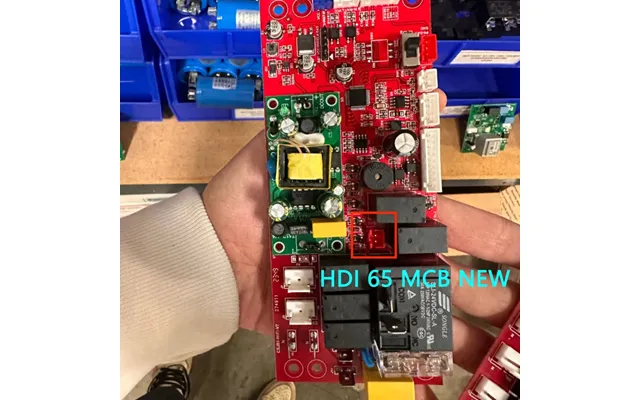
The New WiFi Display Board for HD55 HDI65S is listed at $100 from AlorAir The Dry Air, with AlorAir Solutions identified as the brand. Its title suggests that it is a replacement or specialized internal display component rather than a general-purpose streaming accessory.
Products in this category require extra care because compatibility can depend on the exact equipment model, board revision, connector layout, and installation requirements. A display board that looks similar may not work with a different screen or electronics assembly. Use the exact model information shown on your equipment and compare it with the listing before ordering.
Think of a replacement board like a key. It may look close to another key, but a small difference can prevent it from working. Confirm the HD55 HDI65S reference and any additional part numbers supplied by the manufacturer or seller. If the listing does not provide enough technical information, gather those details before making a decision.
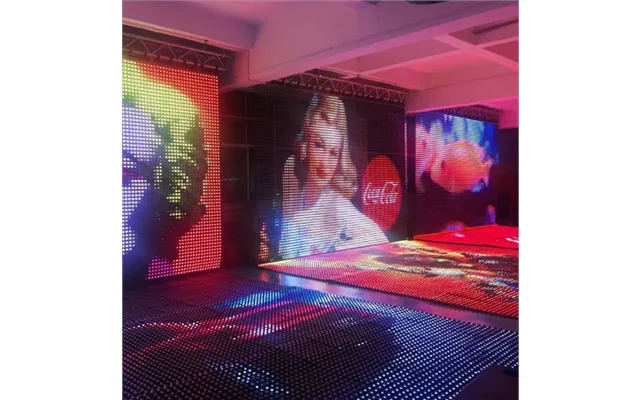
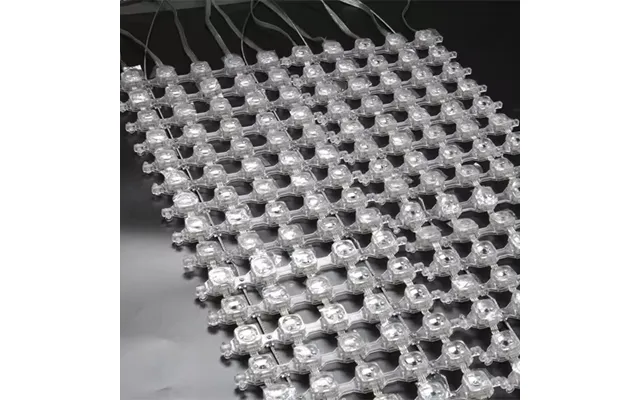
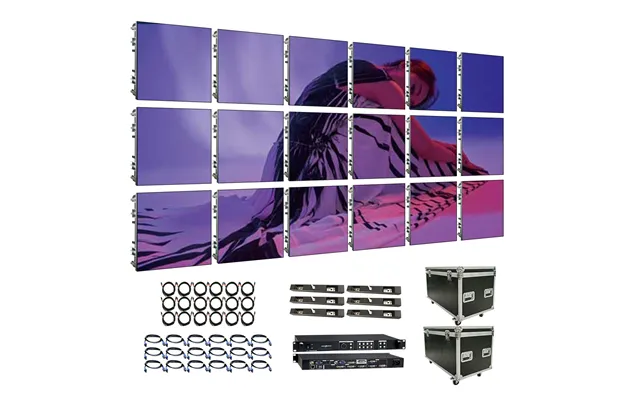
The reference data also includes several LED display and digital poster products from Alibaba. These include a P41.5 SMD5050 IP67-rated indoor and outdoor waterproof LED mesh screen light digital poster intelligent display, listed at $300; a Raybo high-resolution P3.91 indoor LED display screen video wall panel, listed at $150; and an IP67 outdoor waterproof LED programmable grid pixel light digital poster, listed at $460.
These products are aimed at larger-format visual communication and display applications rather than ordinary living-room television upgrades. The listings mention uses such as shopping malls and elevators for the programmable grid pixel light. The Raybo product is described as an indoor LED display screen video wall panel, while the P41.5 product is described as an indoor and outdoor waterproof LED mesh screen light digital poster.
When comparing commercial-style LED products, look beyond the headline resolution or display format. Consider where the panel will be installed, whether the product is intended for indoor or outdoor use, how content is controlled, and whether the structure can support the installation. The IP67 references are part of the product titles and should be confirmed in the specific listing documentation.
A smart TV box or HDMI splitter is usually aimed at a personal entertainment system. A digital poster or video wall panel, by contrast, may be better suited to signage, retail, public spaces, or large visual installations. Asking where the product will live can quickly separate the relevant options from the rest.
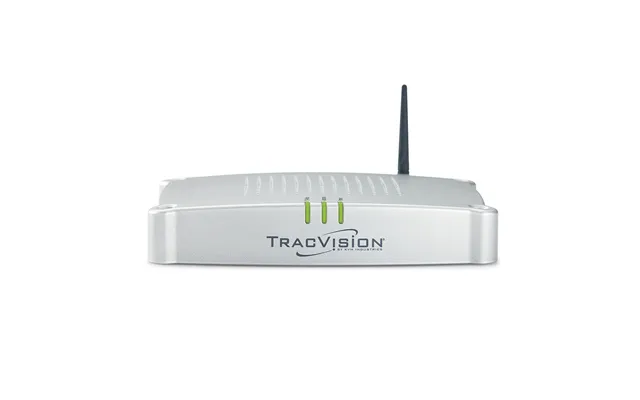
The KVH 01-0380-05 TV Hub A F Circular TV Series Systems is listed at $1,064.12 from The Twister Group. The reference description provides the product name but does not include detailed technical specifications, compatibility information, or installation guidance.
Because this is the highest-priced item in the listed selection, careful review is especially important. Confirm what equipment the hub is designed to work with, what type of system it supports, and whether the included components match your intended installation. The product name alone does not provide enough information to determine whether it is right for a particular home theater or specialized television system.
Start by sorting products according to function rather than appearance. Antennas address reception, HDMI splitters distribute video, cables connect compatible components, smart boxes add network features, mounts support screens, and LED lighting changes the viewing atmosphere. This simple classification keeps the comparison focused.
Next, compare the specifications that affect your setup. For an antenna, look at the antenna type, cable length, gain, and power requirements listed. For a splitter, review input and output counts, resolution support, refresh-rate information, HDR, and HDCP details. For a smart box, compare operating system, memory, storage, processor, wireless details, and video support.
Finally, compare the listed prices and stores while remembering that ZoneOffer is a comparison site, not the seller. The reference data lists products from The Twister Group, NothingProjector, AV Access, Alibaba, AlorAir The Dry Air, and Voghion. Always review the current product page for the latest information before purchasing.
The right TV accessory can solve a specific problem without requiring a complete entertainment-system replacement. The reference selection includes antennas for broadcast reception, an HDMI splitter for distributing one source to four displays, synchronized LED lighting for a more immersive screen, a component cable for compatible older connections, X96Q smart TV boxes, a compact adjustable mount, specialized display hardware, and large LED display products. Compare each option by purpose, compatibility, specifications, and listed price, and you will be much more likely to choose an accessory that fits your setup instead of simply adding another gadget to the shelf.