

RAM price list
Last updated Saturday, Oct 17, 2026





View 6 Offers
Loading...
Last updated Saturday, Oct 17, 2026
RAM is one of the simplest ways to make a compatible computer feel more responsive. Whether you are opening several browser tabs, editing media, playing games, or simply trying to reduce slowdowns, the right memory can help your system handle more tasks at once. But choosing RAM is not just about picking the largest number on the page. You also need to consider the DDR generation, capacity, speed, form factor, and device compatibility.
This guide explores the RAM products listed in the reference data, including DDR3, DDR4, and DDR5 options. You will find choices for laptops and desktop PCs, capacities ranging from 4GB to 32GB, and speeds such as 1333MHz, 1600MHz, and 5600MHz. Think of RAM as your computer’s working desk: a larger, well-matched desk gives your system more room to work without constantly putting tasks away.
RAM provides temporary working space for the operating system and active applications. When you open a program, browse the web, or switch between tasks, your computer uses memory to keep those activities ready. If the available RAM is limited, the system may need to rely more heavily on slower storage, which can make multitasking feel less fluid.
An upgrade can be useful when your computer struggles with multiple applications, larger files, or demanding software. However, RAM only improves performance when the memory is compatible with the computer’s motherboard and processor. Before comparing prices, check what your system supports. A fast module that does not match your device is like trying to fit a desktop component into a laptop: the numbers may look appealing, but the part may not work.
The products in this selection cover three generations of DDR memory. DDR3 is an older memory standard, while DDR4 is a more recent option used in many laptops and desktop computers. DDR5 is the newest generation represented here and is designed for compatible desktop systems.
These generations are not generally interchangeable. A motherboard designed for DDR3 cannot simply accept DDR4 or DDR5 because the physical design and electrical requirements differ. That makes identification the first step in any RAM upgrade. Check your computer’s manual, motherboard specifications, or existing memory label before ordering.
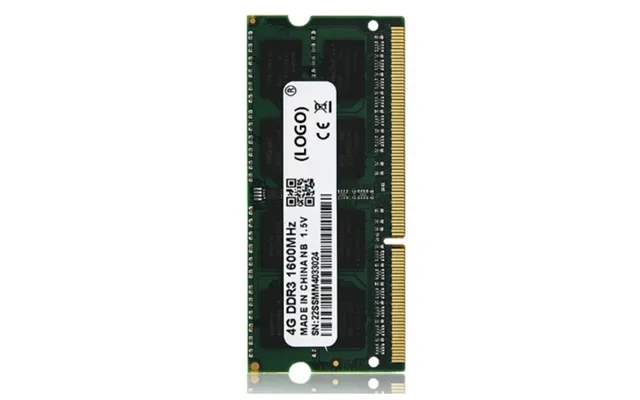
DDR3 can be a practical choice for maintaining or upgrading an older compatible computer. The listed options include 4GB and 8GB DDR3 memory at 1600MHz, along with another product offering 4GB and 8GB capacities at 1333MHz or 1600MHz.
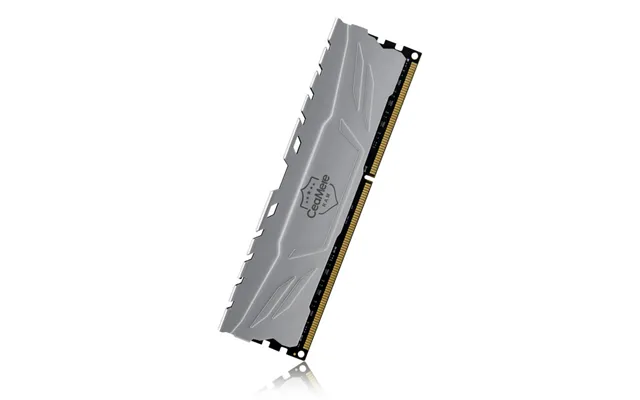
The DDR3 4GB and 8GB 1600MHz RAM with heat spreader is listed at $20.34. Its description highlights a heat spreader and cooling protection. Another 4GB and 8GB DDR3 option, listed at $15.53, emphasizes low latency and easy upgrading, with speed choices of 1333MHz and 1600MHz.
These products may appeal to users who want to keep an older laptop or desktop useful without moving to a completely new platform. Still, compatibility matters more than the headline speed. Confirm whether your system requires laptop memory or desktop memory, as the physical module format may be different.
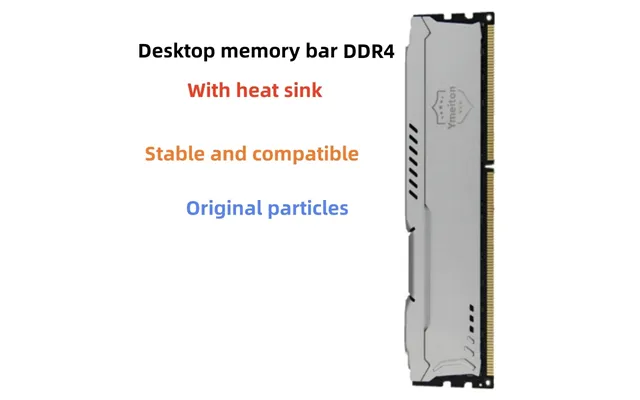
DDR4 remains a flexible category for many compatible laptops and desktop PCs. The listed DDR4 product offers 4GB, 8GB, 16GB, and 32GB capacities and includes a heat spreader. It is described as high-performance memory for both laptop and desktop use and is listed at $44.33.
Multiple capacity choices make this type of listing useful when you already know how much memory your computer can support. A smaller capacity may suit a basic upgrade, while a larger option may be more appropriate for heavier multitasking. The key is to compare the chosen capacity with your device’s maximum supported RAM and available slots.
A heat spreader can add a layer of physical protection around the memory module and is often associated with improved thermal management. It does not remove the need for correct installation or compatibility checks, but it may be a useful feature when comparing similar DDR4 choices.
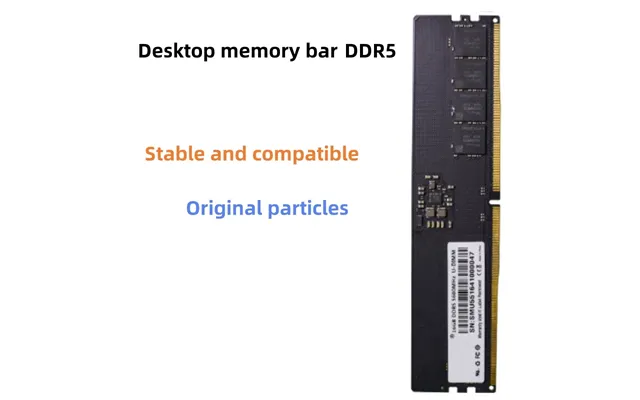
The DDR5 option in the reference data is designed for desktop computers and is offered in 8GB, 16GB, and 32GB capacities at 5600MHz. It is listed at $141.10 and is described as high-speed memory for desktop computers.
DDR5 can be attractive if you are building or upgrading a compatible desktop platform. Its listed 5600MHz speed gives it a different performance profile from the DDR3 and DDR4 products in this selection. However, the higher generation does not automatically make it the right choice for every computer. Your motherboard must specifically support DDR5, and the system may have other requirements as well.
If your current PC uses DDR4, moving to DDR5 may involve more than replacing the memory modules. You may need a compatible motherboard and other platform components. In other words, DDR5 is best considered as part of a compatible system plan rather than a universal drop-in upgrade.
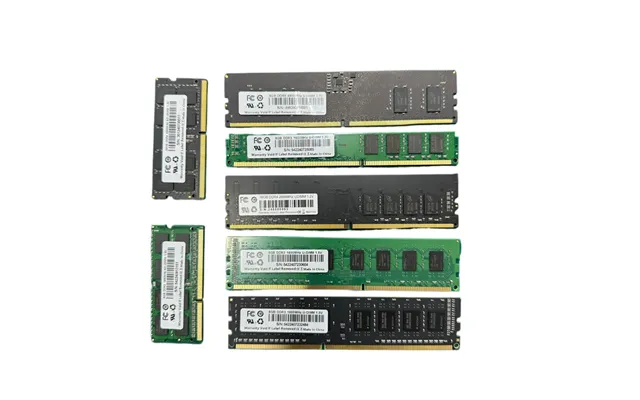
Comparing these products becomes easier when you separate them by generation, device type, capacity, and listed price. The Universal DDR3/DDR4 laptop and desktop memory listing is priced at $14.67 and is described as a high-speed, low-latency, plug-and-play upgrade. Because its title references both DDR3 and DDR4, you should verify the exact variant and specifications before purchase.
The DDR3 products are listed at $20.34 and $15.53. One includes a heat spreader and operates at 1600MHz, while the other offers 1333MHz or 1600MHz options. The DDR4 heat-spreader listing is priced at $44.33 and covers capacities from 4GB to 32GB. The DDR5 desktop memory is listed at $141.10 and offers 8GB, 16GB, or 32GB at 5600MHz.
Prices are included here as listed in the reference data and may change. ZoneOffer is a comparison site, not a store, so shoppers should review the current product page and selected configuration before making a buying decision.
The best capacity depends on what you do and what your computer supports. The listed products provide several capacity points, including 4GB, 8GB, 16GB, and 32GB. That range gives you room to compare a modest upgrade with a more substantial memory expansion.
A 4GB module may be considered when you need a basic replacement or a small increase on a compatible system. An 8GB option can provide more working space for everyday use. Larger 16GB and 32GB choices may be worth examining when your software and motherboard support them, particularly if you regularly keep many applications open.
Capacity is only one part of the equation. Installing more RAM than your computer can use will not necessarily improve performance. Before choosing a module, check the maximum memory supported by your motherboard or laptop, the number of available slots, and whether your computer requires matching modules for a particular configuration.
Some systems use one memory module, while others perform better with matched modules. Your computer’s documentation can help you understand whether it supports a dual-channel or similar configuration. If you already have RAM installed, compare its generation, speed, capacity, and specifications with the new module.
Mixing different memory specifications may work in some systems, but it can also create limitations or compatibility problems. For a smoother upgrade process, many shoppers prefer matching modules when their system allows it. The safest approach is to confirm the exact requirements instead of assuming that every module will operate together.
Laptop and desktop memory are not always physically interchangeable. A laptop generally uses a smaller module format, while a desktop typically uses a larger one. The product titles in the reference data identify several options as suitable for laptops and desktops, but you should still confirm the specific variant before ordering.
The Universal DDR3/DDR4 listing references both laptop and desktop PCs. The DDR4 heat-spreader listing also mentions laptop and desktop use. Meanwhile, the DDR5 listing is described specifically for desktop computers. These descriptions provide a useful starting point, but your device model and motherboard specifications should make the final decision.
Look for details such as the memory type, module format, capacity, and supported speed. If your computer is a laptop, check whether its RAM is upgradeable at all. Some systems have memory that is integrated into the motherboard, leaving no removable slot for a standard upgrade.
Memory speed is commonly shown in megahertz, such as 1333MHz, 1600MHz, or 5600MHz. The reference products use all three of these listed speeds. Faster numbers can be appealing, but your system may operate the memory at a lower supported speed. The motherboard and processor determine how much of the advertised specification your computer can use.
Latency is another specification to review. The Universal DDR3/DDR4 listing highlights low latency, as does the 4GB and 8GB DDR3 listing. Lower latency can matter when comparing otherwise similar memory, but it should be considered alongside generation, capacity, and compatibility rather than viewed in isolation.
Several listings include heat spreaders. The DDR3 4GB and 8GB 1600MHz product and the DDR4 4GB through 32GB product both mention this feature. A heat spreader covers part of the memory module and may support heat management, but it does not replace adequate airflow or correct system design.
For general computing, the most important priorities are usually compatibility and sufficient capacity. If you browse, write documents, stream content, and use everyday applications, begin by identifying the memory type your computer accepts. An affordable, compatible module can be more useful than a faster module designed for a different platform.
For gaming, RAM is only one part of the performance picture. The processor, graphics hardware, storage, and game requirements also influence results. A DDR5 5600MHz option may be relevant to a compatible desktop build, while DDR4 or DDR3 may make more sense for an existing system designed around those standards.
For professional workloads, capacity can become especially important. Large projects and multiple applications may benefit from a higher-capacity option, provided the computer supports it. The listed DDR4 and DDR5 products include 16GB and 32GB choices, while the DDR3 offerings reach 8GB. Use your actual workload as the guide rather than choosing a capacity based only on its size.
Before installing RAM, shut down the computer and disconnect its power source. If you are working on a desktop, consult the motherboard manual for the correct memory slots. For a laptop, check the service instructions for your specific model. Avoid forcing a module into place; the notch should align with the slot.
Grounding yourself before handling memory can help reduce the risk of static discharge. Handle the module by its edges and avoid touching the contacts. After installation, confirm that the computer recognizes the new capacity in its system information. If it does not, power down and recheck the seating, slot placement, and compatibility.
Keep the original memory available until the upgrade has been tested. If the computer fails to boot or reports less RAM than expected, review the system specifications and installation instructions. Problems are often caused by an incompatible generation, an incorrectly seated module, or a capacity beyond the computer’s supported limit.
Start with the exact RAM generation: DDR3, DDR4, or DDR5. Next, confirm whether the module is intended for a laptop, desktop, or both. Then compare capacity, speed, and any features such as a heat spreader. These details form the foundation of a sensible upgrade.
Also check the selected variant carefully. A listing may include multiple capacities or speeds, and the displayed price may relate to one configuration rather than every option. The reference data includes several products with multiple choices, including DDR3 at 1333MHz or 1600MHz, DDR4 from 4GB to 32GB, and DDR5 from 8GB to 32GB.
ZoneOffer helps you compare products and listed details, but it is not a store. Treat the comparison page as a starting point, then review the current listing for the exact configuration and price. This small step can prevent a frustrating mismatch between what you need and what you order.
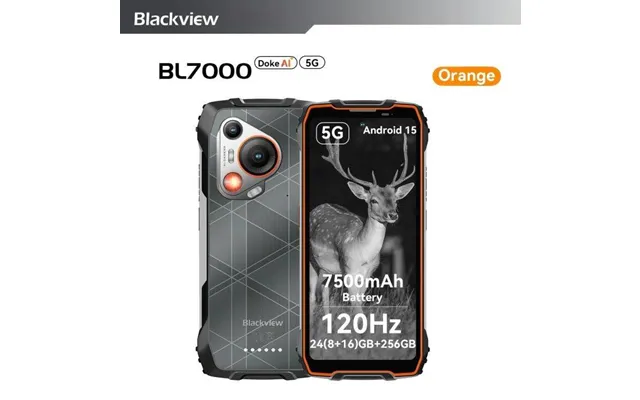
The reference data also includes the Blackview BL7000 5G AI rugged phone, listed with 8GB of RAM and 256GB of storage. It is priced at $245.00 through Gshopper, and the listing mentions an additional $30 off with a code. The description also references Android 15, a 6.78-inch display, a 120Hz refresh rate, and a 7,500mAh battery.
This phone is not a desktop or laptop RAM upgrade, so it should be considered separately from the memory modules above. Its 8GB RAM specification describes the phone’s built-in memory, not a removable computer RAM module. If you are shopping specifically for a PC upgrade, focus on the DDR3, DDR4, or DDR5 listings and verify your system’s requirements.
The best RAM upgrade is the one that matches your computer’s platform, not simply the one with the biggest capacity or fastest number. The reference selection includes affordable DDR3 choices for older systems, flexible DDR4 options for compatible laptops and desktops, and 5600MHz DDR5 memory for supported desktop computers. Compare generation, format, capacity, speed, and price carefully, and remember that ZoneOffer is a comparison site rather than a store. With a few compatibility checks, you can choose memory that gives your system more working room without turning the upgrade into a guessing game.