


Label Makers price list
Last updated Thursday, Oct 29, 2026



View 7 Offers
Loading...
Last updated Thursday, Oct 29, 2026
Label makers can turn a cluttered drawer, busy warehouse, or confusing equipment room into something far easier to manage. Whether you need small labels for everyday organization or durable identification tags for business assets, the right printing setup can save time and reduce guesswork. The reference listings include a mix of portable thermal printers, printheads, ribbons, custom barcode tags, and label-related products, giving you several ways to compare your options.
ZoneOffer is a comparison site, so it does not sell these products directly. Instead, it brings product listings together so you can review prices, product types, brands, and stores in one place. Think of it as a map: you still decide where to go, but the route is easier to understand.
The available listings cover more than traditional handheld label makers. You will find a small Bluetooth thermal printer, replacement printer heads, thermal transfer ribbons, custom asset tags, and a Maxwell label product. That range matters because a complete labeling system often includes several components rather than one device alone.
A home user may prefer a compact printer that fits in a drawer or bag. A warehouse or office may need ribbons, permanent asset labels, or replacement printheads. By comparing the options together, you can focus on the part of the labeling process that needs attention instead of buying equipment that does not match your intended use.
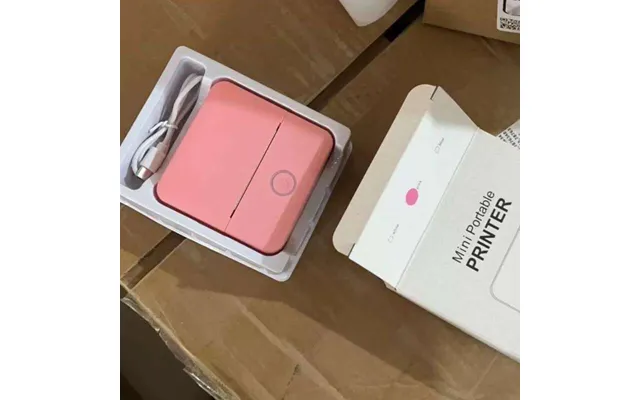
The listing for the Small Portable Mini With Ink Free Pocket Label Image Error Question - Thermal Bluetooth Printer appears at a price of $21.42 through Voghion. The product is described as a small portable mini thermal Bluetooth printer, and the listing identifies Voghion as the brand and store.
Thermal printing is appealing when you want a simple setup without traditional ink cartridges. A compact printer can be useful for organizing containers, making quick identification labels, or handling small labeling jobs around the home or office. Bluetooth connectivity can also make the process feel more flexible, especially when you want to print from a compatible mobile device.
Before choosing this type of printer, consider your typical label size, how often you print, and whether you need durable labels for long-term use. A pocket-sized model may be convenient for occasional tasks, while a larger dedicated machine may suit higher-volume work better. The key question is simple: do you need maximum portability, or maximum production?
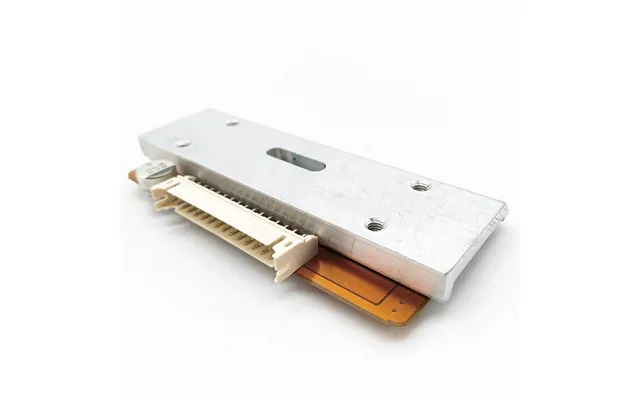
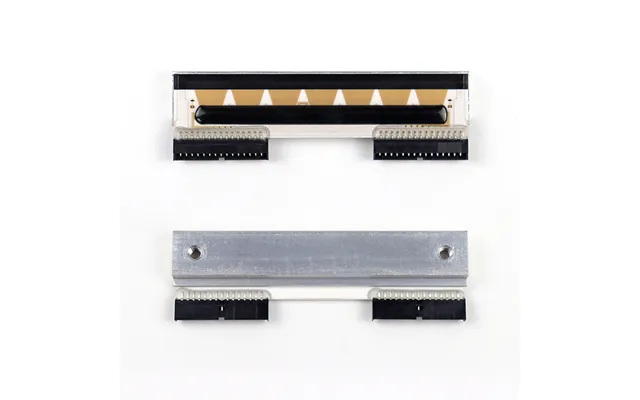
The 8442 Thermal Printhead listing is priced at $15.00 through Alibaba. Its title references compatibility with MT 3680, 3600, 3610, 3650, 3950, P8442, Bpro, and Bcom printer models used for label printing, scales, and retail applications.
A printhead is one of the most important working parts inside a thermal printer. It transfers heat to the printing surface, creating text, symbols, or barcodes. When a printhead becomes worn or damaged, output may show missing lines, weak sections, or inconsistent marks. Replacing the component can be more practical than replacing an entire printer, provided the part matches the equipment.
Model compatibility deserves close attention here. The listing includes several model references, but you should compare those references with your own equipment before making a decision. A low listed price is useful only when the component fits the printer you already own. Treat compatibility like a key fitting a lock: even a quality part is not useful if the match is wrong.
The Kee-5-far1 R 3084 06-00786 Print Head for Card Fargo Printer DTC550 is listed at $229.99 through Alibaba. The title identifies it as a printhead intended for the Fargo DTC550 card printer.
This product is different from the 8442 printhead because it is specifically associated with a card printer rather than the broader range of label-printing and retail equipment referenced in the other listing. That distinction is important for buyers who manage identification cards, badges, or card-based printing systems.
The higher price compared with the 8442 listing may reflect the product type, equipment compatibility, or replacement-part market. However, the reference data does not provide further technical specifications, warranty details, or performance information. Compare the part number and printer model carefully, and use the available product listing as the starting point for further verification.
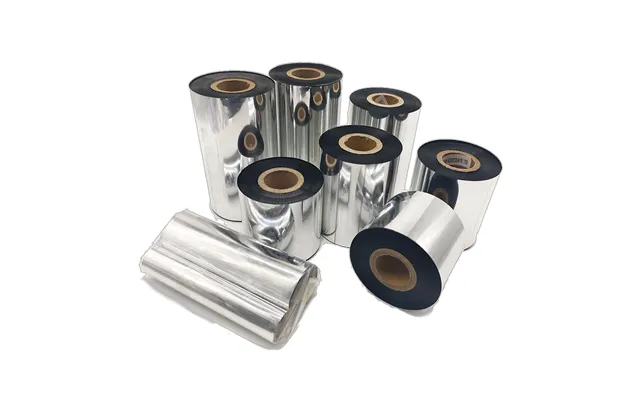
The Resin Transfer Foil Silver Heating Wax Ribbon for Thermal Transfer Ribbon Printer is listed at $1.58 through Alibaba. The listing title identifies it as a silver ribbon designed for a thermal transfer ribbon printer and includes dimensions of 110 millimeters by 300 meters in the product name.
Because the requested measurement format is imperial, those listed dimensions are approximately 4.33 inches wide by 984 feet long. The silver color may be useful when you want labels with a different visual appearance from standard black printing, although the reference data does not specify the exact finished effect, supported materials, or printer models.
Thermal transfer ribbons work with compatible printers by transferring color from the ribbon onto the label surface. This can be useful when labels need a particular finish or when the printing setup requires ribbon-based production. Still, ribbon width and length are important. A ribbon that is too wide, too narrow, or otherwise incompatible may not perform as expected.
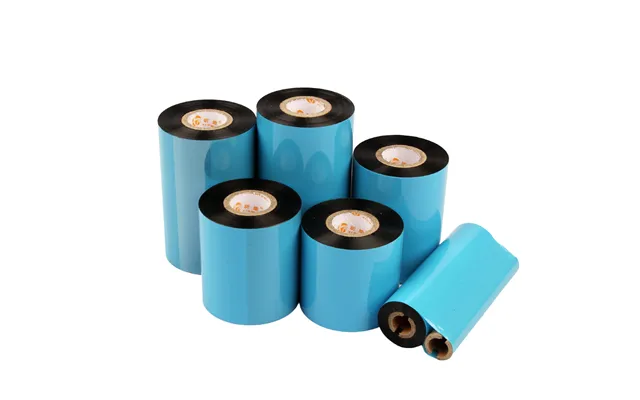
The Factory Wholesale Thermal Transfer Ribbon is listed at $0.47 through Alibaba. Its title describes a 300-meter wax ribbon compatible with Zebra, Citizen, TEC, and OKI printers. That listed length is approximately 984 feet.
Wax ribbons can be an economical option for certain thermal transfer applications. The low listed price may attract buyers who need multiple rolls or who are comparing supplies for regular label production. The listing specifically mentions compatibility with several printer brands, which gives you a useful starting point when checking whether it may suit your equipment.
Even when a product title names several printer brands, you should still confirm the exact printer model and label material. Brand-level compatibility does not always answer every technical question. Check the printer manual or equipment specifications before ordering, especially if you are buying for a workplace where an incorrect supply could interrupt a larger labeling task.
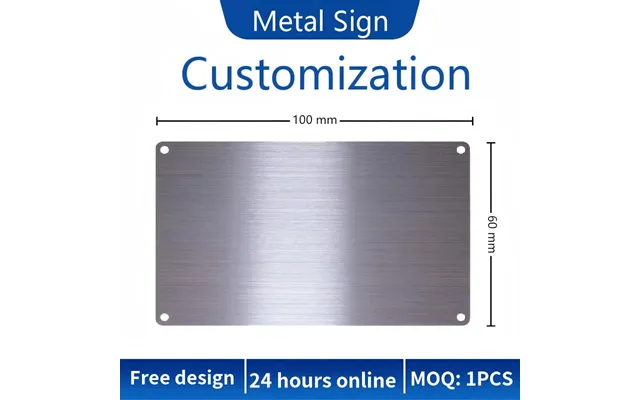
The Industrial Stainless Steel QR Code Asset Tag Permanent Equipment Label is listed at $0.63 through Alibaba. The title describes a custom UID barcode model identified as S601 and references OEM and ODM options for inventory-related use.
Unlike a portable paper label, a stainless steel asset tag is aimed at equipment identification and longer-term tracking. QR codes, unique identifiers, and barcodes can help connect physical items with records in an inventory system. For example, a tagged piece of equipment can be easier to identify during audits, maintenance checks, or internal transfers.
The listing uses terms such as permanent, industrial, and stainless steel, but the reference data does not provide a specific durability rating, adhesive specification, environmental rating, or customization process. Therefore, you should treat the product title as a description of the intended category rather than a guarantee for every operating condition.
Custom tags can be especially useful when ordinary labels are too temporary. They act like nameplates for equipment, giving each item a visible identity. If you are considering them for outdoor, high-temperature, chemical, or heavy-use environments, verify the material and application requirements before choosing a product.
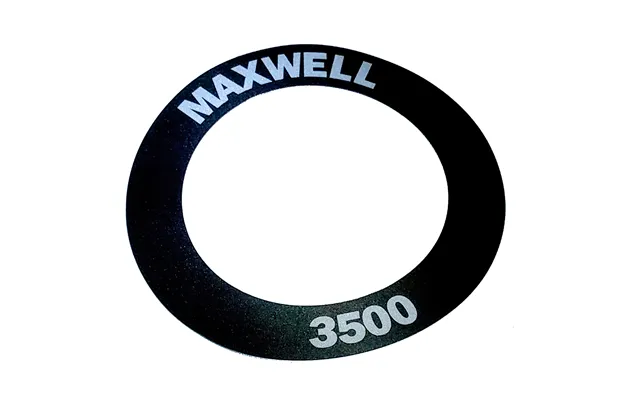
The Maxwell 3856 Label 3500 is listed at $37.12 through The Twister Group. The listing identifies Maxwell as the brand and repeats the product name as “Maxwell 3856 label 3500.” The reference data does not include further specifications, dimensions, label material, package quantity, or printer compatibility.
When a listing contains limited product information, comparison becomes even more important. You may want to check what equipment the label is designed for, how many labels are included, and whether the format matches your workflow. These questions are not answered in the reference data, so they should be verified through the product listing before purchase.
The product may interest shoppers who already use Maxwell equipment or who recognize the 3856 and 3500 identifiers from their existing setup. If that is your situation, matching the product code to your current system should be your first step. A familiar brand name can help, but the model reference is usually what determines practical compatibility.
First, decide what you actually need to label. Are you organizing household items, printing small batches, marking inventory, replacing a worn printer component, or maintaining a card-printing system? Each goal points toward a different product category.
The portable thermal Bluetooth printer is the most device-like option in the listings. The printheads are replacement components. The ribbons are consumable supplies, and the stainless steel QR code tag is an identification product. Comparing them as if they were interchangeable would be like comparing a camera with a battery and a photo frame: all relate to images, but they perform different jobs.
Price is useful, but compatibility comes first. The listings include references to MT and Bpro equipment, the Fargo DTC550, Zebra, Citizen, TEC, OKI, and other model or brand names. Those references can help narrow your search, but they do not replace checking your exact printer or application.
Write down your printer model, required ribbon type, label material, and preferred label size before comparing offers. This small preparation step can prevent an inexpensive purchase from becoming an unsuitable one. It is also especially important for printheads, because the wrong replacement part may not work with your equipment.
A small pocket printer may make sense for quick, low-volume tasks. It can be easier to store and carry than a larger office or industrial setup. On the other hand, regular business printing may require ribbon supplies, dedicated equipment, or permanent asset tags instead of a compact consumer-focused printer.
Think about your workflow over a typical week. If you print a few labels whenever a need appears, convenience may matter most. If you print hundreds of labels during inventory work, supply capacity and equipment compatibility may deserve more attention. The best choice is not always the smallest or cheapest one; it is the product that creates the fewest interruptions.
The reference data includes prices ranging from $0.47 for the factory wholesale wax ribbon to $229.99 for the Fargo DTC550 printhead. Other listings include the $0.63 stainless steel asset tag, the $1.58 silver resin transfer foil, the $15.00 8442 thermal printhead, the $21.42 portable thermal printer, and the $37.12 Maxwell product.
These price points belong to different product categories, so a direct ranking from cheapest to most expensive does not tell the whole story. A ribbon may be a recurring supply, while a printhead may be a replacement component. A custom tag may be priced per unit or under conditions not fully explained in the reference data. Review the product listing carefully to understand what the displayed price represents.
The descriptions for several Alibaba listings mention “1M new products” and exclusive perks up to $500 off. These statements appear in the supplied data, but the reference does not specify eligibility, timing, or exact discount terms. You should not assume that a particular promotion applies to every buyer or product.
Thermal printing generally appeals to buyers who want a straightforward label workflow. The portable printer listing specifically describes ink-free operation, while the ribbons are designed for thermal transfer printers. These are related but different approaches, so understanding the distinction helps you compare intelligently.
An ink-free thermal printer may be convenient for simple, quick labels when the printer and label material are designed to work together. A thermal transfer setup uses a ribbon, which may offer different printing characteristics depending on the ribbon and label surface. The reference data does not provide detailed performance comparisons, so your choice should depend on your equipment, label requirements, and printing habits.
Do you need a grab-and-go tool, or are you building a repeatable labeling station? That question can quickly guide your decision. Portable printing emphasizes convenience, while ribbon-based systems may be more relevant to buyers already working with compatible thermal transfer printers.
For home organization, a compact label printer can make shelves, storage boxes, cables, and containers easier to identify. Clear naming reduces the time spent searching, especially when several items look alike. A small label can be a tiny signpost that keeps an entire storage area easier to navigate.
In an office, labels can support filing, supply organization, equipment identification, and workspace management. The portable Voghion thermal printer listing may appeal to shoppers who value a small form factor, while the stainless steel QR code tag may be more relevant to asset tracking. The right choice depends on whether you need temporary organization or a more durable identification method.
Asset tags are useful when an organization needs to identify equipment consistently. The stainless steel QR code listing specifically refers to permanent equipment labels, UID barcodes, and inventory applications. These features suggest a focus on traceability rather than simple decoration.
A well-planned asset labeling system can make records easier to connect with physical objects. You might scan a code, locate a matching record, and confirm that the correct item is in the expected place. The reference data does not describe a specific software system or scanning process, so those details should be investigated separately.
Before ordering custom tags, plan the information you want printed. This might include an asset number, QR code, barcode, department identifier, or other internal reference. Clear planning helps prevent labels from becoming crowded or inconsistent across your inventory.
Before selecting a product, ask yourself several practical questions. What printer or equipment do I already have? Is this item a complete device, a replacement part, a ribbon, or a label supply? Do I need portability, durability, custom identification, or regular high-volume printing?
Next, check the product title for model numbers and compatibility references. The listings provide valuable clues, but some details remain unspecified. For example, the reference data does not confirm package quantities, technical ratings, exact application conditions, or complete product specifications for every offer.
Finally, compare the store and listed price shown in the data. Alibaba appears for the printheads, ribbons, and stainless steel asset tag; Voghion appears for the portable printer; and The Twister Group appears for the Maxwell product. ZoneOffer helps you compare these listings, but it is not the retailer and does not establish additional terms beyond the supplied information.
The reference listings offer several paths into label printing, from a $21.42 portable thermal Bluetooth printer to replacement printheads, low-cost thermal transfer ribbons, a $0.63 stainless steel QR code asset tag, and the $37.12 Maxwell 3856 Label 3500. The best choice depends on your equipment, labeling volume, durability needs, and intended use. Compare model references carefully, treat price as only one part of the decision, and verify details that the listings do not provide. With the right match, labeling becomes less of a chore and more like adding signposts to the places you use every day.