

Video Multiplexers price list
Last updated Friday, Nov 6, 2026




View 5 Offers
Loading...
Last updated Friday, Nov 6, 2026
Managing several video sources can quickly become confusing. One screen may need to display a laptop, gaming device, media player, camera system, or another HDMI source, while your audio setup may require its own connection. Video multiplexers, HDMI matrix switches, HDMI switchers, and multiviewers help bring order to that crowded setup.
The products in this guide focus on 4K video distribution, source switching, multiviewing, audio extraction, and display compatibility. Each model offers a different approach. Some are compact tools for choosing between sources, while others let you route multiple inputs to multiple displays or view several sources on one screen.
ZoneOffer is a comparison site, so it does not sell these products directly. Instead, it helps you review listed options and compare supported features and prices from the available offer data. That makes it easier to narrow your search before choosing the video solution that matches your setup.
A video multiplexer combines or manages multiple video signals so you can control how they appear on one or more displays. Think of it as a traffic controller for your video sources. Rather than repeatedly unplugging cables, you can switch between connected devices or arrange several feeds in a single viewing layout.
Different products use different designs. An HDMI switch usually selects one source for one display. A matrix switch gives you more routing freedom by sending several sources to several outputs. A multiviewer goes a step further by placing multiple video sources on one screen at the same time.
The best option depends on your goal. Do you simply want to switch between two devices? Are you connecting four sources to two displays? Or do you need to watch four feeds together? Answering that question first can save you from choosing a product with too many or too few capabilities.
4K support is important when your sources and displays are designed for high-resolution video. The reference products include several 4K models, but their specifications are not identical. Some focus on straightforward signal switching, while others add matrix routing, audio extraction, downscaling, or multiview modes.
Resolution is only one part of the decision. You should also consider the number of inputs and outputs, the type of audio connections you need, the control method you prefer, and whether your displays support the same video format as your sources.
A compatible switching device can act like the central hub of your setup. You connect your sources to the switcher, connect the outputs to your displays, and then use the available controls to manage the signal flow. That can make a home theater, presentation system, or monitoring arrangement easier to operate.
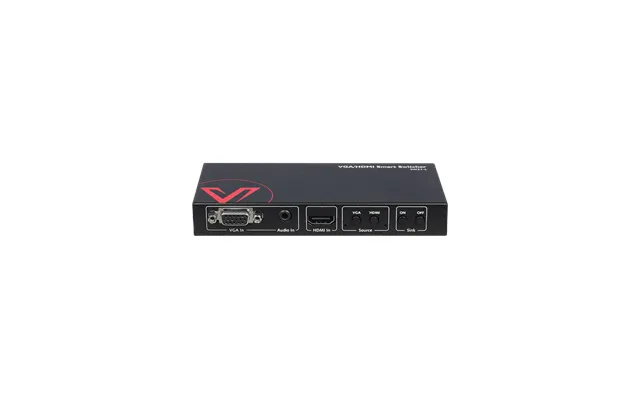
The AV Access 4KSW21-L is a 2×1 4K HDMI and VGA-to-HDMI switch designed for a simple source-selection setup. It includes one HDCP-compliant HDMI input, a VGA input with analog stereo audio, and one HDMI output.
This configuration is useful when you need to connect two different source types to one display. For example, you may want to keep an HDMI device and a VGA-equipped computer connected without changing cables each time. The product description states that its output supports up to 4K at 60Hz with 4:2:0 8-bit chroma subsampling and no scaler.
The 4KSW21-L also lists direct CEC control, infrared control, and RS232 support. Those options give you more than one way to manage switching. Its listed price in the reference data is $55.99, making it the lowest-priced option among the products covered in this article.
This model may suit users who need a compact 2×1 switch rather than a larger matrix system. It is especially worth considering when one of your sources uses VGA with analog stereo audio. If your setup requires multiple HDMI outputs, ARC, SPDIF, or simultaneous source viewing, you may want to examine the other models instead.
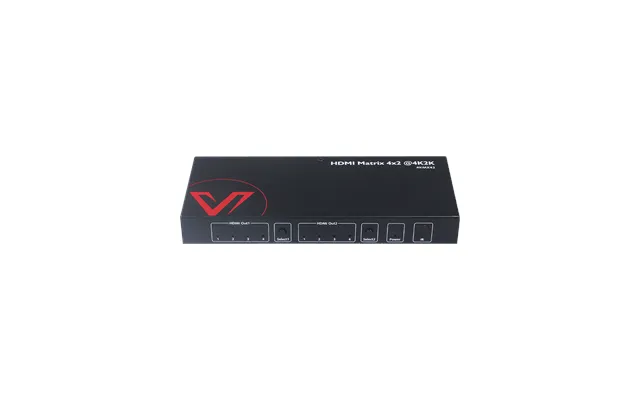
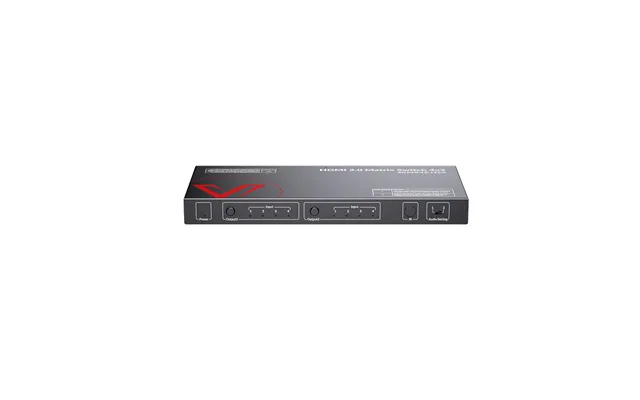
The Av Access 4KMX42 is a 4×2 HDMI matrix switch with four HDMI inputs and two HDMI outputs. According to the reference data, it distributes four HDMI source signals to as many as two HDMI displays and supports Ultra HD 4K video.
This arrangement gives you more flexibility than a basic one-output switch. You can connect several source devices and route them to two displays. That may be useful in a home theater with two screens or in a presentation environment where different displays need access to connected sources.
The 4KMX42 includes stereo audio support, an infrared remote, CEC control for a television, and auto EDID. EDID helps connected devices exchange display capability information, while CEC can help compatible equipment work together through HDMI control functions.
The listed price for the Av Access 4KMX42 is $45.99. Despite its four-input, two-output design, it has a lower listed price than the 4KSW21-L in the provided data. Price alone should not decide your purchase, but this model deserves attention if you want matrix routing at a comparatively low listed price.
A 4×2 matrix is a practical middle ground. You get more inputs than a simple switch and more output flexibility than a one-screen device. It can be a strong match for users who have several HDMI sources but only need to serve two displays.
The Av Access 4KMX42-H2A builds on the 4×2 matrix format with additional audio-focused features. The product description identifies it as an HDMI 2.0 switch with ARC and SPDIF audio extraction, along with an auto downscaler for home theater use.
ARC, or Audio Return Channel, can be useful when your television needs to send audio back through an HDMI connection to compatible equipment. SPDIF provides another digital audio connection option. These features matter when your video system is also part of a more involved home theater arrangement.
The auto downscaler is another notable feature. The reference data describes the product as an HDMI matrix switch with auto downscaling, which can help when connected equipment does not use the same display resolution. You should still confirm compatibility among your individual sources, displays, and audio devices before buying.
The listed price for the 4KMX42-H2A is $85.99. It may appeal to shoppers who want the flexibility of a 4×2 matrix while placing greater importance on audio routing than a basic HDMI switch provides.
Both models use a 4×2 matrix format, but the 4KMX42-H2A specifically lists ARC, SPDIF audio extraction, HDMI 2.0 switching, and auto downscaling. The standard 4KMX42 lists stereo audio, an infrared remote, CEC television control, and auto EDID. Your preferred model depends on which audio and compatibility features your system requires.
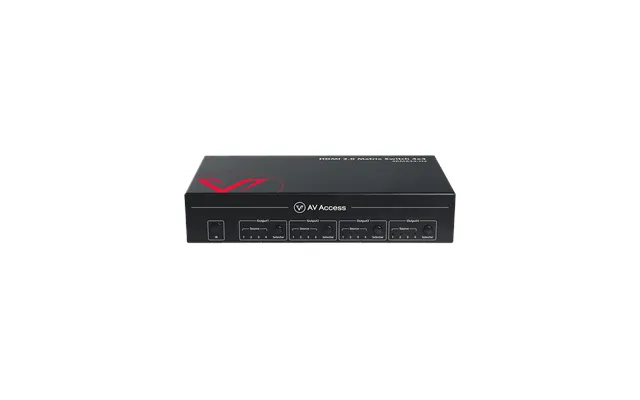
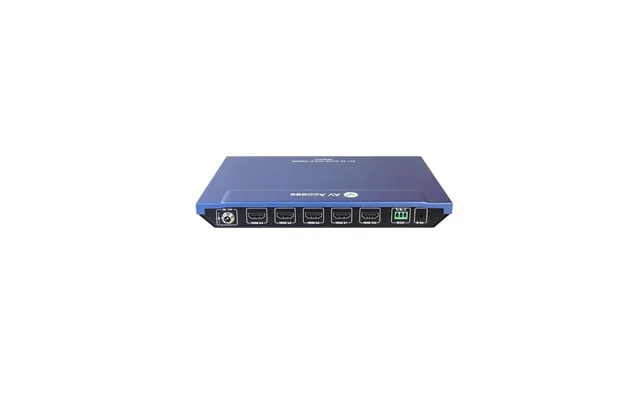
The Av Access 4KMX44-H2 is a 4×4 HDMI matrix switch designed for setups with more sources and displays. It includes four HDMI inputs and four HDMI outputs, giving you a larger routing platform than the 4×2 models in the reference data.
Its product description highlights auto downscaling for each HDMI output when connected to a 1080p display. This can be valuable when your system includes displays with different capabilities. Rather than assuming every screen handles the same signal, the switch is designed to adjust the output for a connected 1080p display.
The 4KMX44-H2 also lists cross-point switching and several control methods, including infrared, RS232, and IP. These choices can make the product more adaptable to different operating preferences. You might use an infrared remote for simple control or rely on another listed method in a more structured installation.
The listed price is $159.99. This is higher than the other matrix switches in the reference data, but the product also offers four outputs and additional control features. It may be worth comparing when your system needs more routing capacity rather than only basic source selection.
A 4×4 matrix is designed for users managing multiple sources and multiple displays. It can be appropriate for larger home entertainment systems, corporate displays, or other installations where four inputs and four outputs provide useful flexibility. If you only have one display, its extra capacity may be unnecessary.
The Av Access 4KMV41 takes a different approach from the matrix switches. It is a 4×1 4K HDMI multiviewer that can show up to four video sources on one television screen at the same time. The product description also identifies five different viewing modes.
This makes the 4KMV41 particularly interesting for monitoring and comparison tasks. Instead of choosing only one active source, you can view multiple feeds together. It can be useful when you want to observe several signals without constantly switching between them.
The product includes seamless switching and infrared remote control. Seamless switching can help make source changes feel smoother, while the remote provides a convenient way to manage the device from a distance. The listed price is $179.99, the highest among the products provided.
Because a multiviewer and a matrix switch solve different problems, compare their functions carefully. The 4KMV41 is built around multiple views on one screen, whereas the 4KMX44-H2 is built around routing sources across multiple outputs. Which design fits your needs better?
A multiviewer is a better match when seeing several feeds at once matters more than sending different sources to several displays. It can turn one television into a shared viewing window for multiple inputs. If you need separate source-to-display routing, a matrix switch may be the more suitable design.
Start by counting your current sources and displays. The 4KSW21-L has a 2×1 configuration, the 4KMX42 and 4KMX42-H2A use 4×2 layouts, the 4KMX44-H2 provides 4×4 routing, and the 4KMV41 uses a 4×1 multiviewer arrangement.
Leave room for your real usage rather than counting only the devices you own today. A switch with extra inputs may be more convenient if you expect to add another source later. On the other hand, a larger model may not offer meaningful value if your setup will remain small.
Outputs deserve equal attention. If you have one display, a 2×1 or 4×1 configuration may be enough. If you want to connect two displays, a 4×2 product may be more practical. For four-display routing, the 4KMX44-H2 is the model in the reference data that specifically provides a 4×4 layout.
Video switching is only half of the experience. Audio can become the loose thread that unravels an otherwise organized setup. The reference products include several audio-related features, including analog stereo audio, stereo audio support, ARC, and SPDIF extraction.
The 4KSW21-L includes a VGA input with analog stereo audio. That can be helpful when connecting a VGA source that does not carry audio through the same video cable. The 4KMX42 lists stereo audio, while the 4KMX42-H2A specifically includes ARC and SPDIF audio extraction.
If you are building a home theater, pay close attention to the audio connections on your existing equipment. A switcher may support the video format you want but still require a different audio path than your receiver or television uses. Matching the listed audio feature to your equipment can prevent avoidable setup problems.
Control methods can shape how pleasant a device is to use. The listed products include infrared remote control, CEC control, RS232, and IP control across different models. These options serve different levels of convenience and installation complexity.
An infrared remote can be useful for everyday switching from your seat. CEC control may allow compatible HDMI devices to coordinate certain operations. RS232 and IP control may be more relevant in structured installations where equipment is managed through a control system or networked method.
Before choosing, consider who will operate the switcher and where it will be placed. A simple remote may be all you need in a living room. A business display system may benefit from additional control options, but you should verify that your existing control equipment supports them.
Mixed-display systems can be challenging because not every screen handles the same signal. The 4KMX44-H2 lists auto downscaling for each HDMI output when connected to a 1080p display. The 4KMX42-H2A also lists an auto downscaler, while the 4KMX42 includes auto EDID.
Downscaling is designed to adapt a higher-resolution signal for a display with lower resolution support. EDID, meanwhile, helps source and display devices share information about supported capabilities. These functions are especially relevant when your setup includes different types of screens.
They are not a guarantee that every combination will work perfectly. Always compare the listed specifications with your source devices and displays. Still, these features can make a product more attractive when compatibility is a central concern.
The reference data lists the Av Access 4KMX42 at $45.99, the 4KSW21-L at $55.99, the 4KMX42-H2A at $85.99, the 4KMX44-H2 at $159.99, and the 4KMV41 at $179.99. These are listed offer prices, not claims about discounts or future availability.
The lowest listed price does not automatically make a product the best choice. The 4KMX42 costs less than the 4KSW21-L in the supplied data, but each model has a different design. The 4KSW21-L includes VGA input support, while the 4KMX42 offers four HDMI inputs and two outputs.
At the higher end, the 4KMX44-H2 and 4KMV41 provide more specialized capabilities. The former focuses on 4×4 routing and downscaling, while the latter focuses on showing up to four sources on one screen. Compare the feature you will use most, not just the number on the price tag.
Before selecting a video multiplexer, write down the devices you plan to connect. Count HDMI and VGA sources, count displays, and identify whether you need one source at a time or several sources together. This simple list works like a map before you begin the journey.
Next, review the required video and audio features. Check whether you need 4K support, a VGA connection, ARC, SPDIF extraction, stereo audio, auto downscaling, or auto EDID. Then consider how you want to control the device, whether through an infrared remote, CEC, RS232, or IP.
Finally, compare the listed prices and product configurations through ZoneOffer. Since ZoneOffer is a comparison site rather than a store, use the available offer information as a starting point and confirm the current details with the relevant listing before making a purchase.
The right video multiplexer can turn a tangled collection of sources and screens into a much cleaner system. The Av Access 4KSW21-L suits a compact 2×1 setup with HDMI and VGA support, while the 4KMX42 and 4KMX42-H2A offer 4×2 matrix routing with different audio and compatibility features. The 4KMX44-H2 expands routing to a 4×4 layout, and the 4KMV41 focuses on viewing up to four sources together. Compare inputs, outputs, audio, control options, downscaling, and listed price, then choose the model that matches the way you actually use your displays.