

UPS Accessories price list
Last updated Saturday, Oct 17, 2026
| UPS Accessories | Price |
|---|---|
| Apc Smx120bp Smart-ups X 120v Short Depth External Battery Pack Tower Rack Convertible | $1,012.12 |





Loading...
Last updated Saturday, Oct 17, 2026
| UPS Accessories | Price |
|---|---|
| Apc Smx120bp Smart-ups X 120v Short Depth External Battery Pack Tower Rack Convertible | $1,012.12 |
A reliable uninterruptible power supply can keep essential electronics running when the power flickers or fails. However, the UPS itself may need the right accessories to deliver the uptime, flexibility, and protection you expect. Batteries, mounting solutions, and compatible expansion equipment can turn a basic power backup setup into a more capable system.
Think of UPS accessories as the supporting cast behind your power protection plan. The UPS may take center stage, but the right accessory helps it perform its role more effectively. Whether you are supporting business equipment, networking hardware, or important electronics, choosing compatible components can make your setup easier to manage and better suited to your needs.
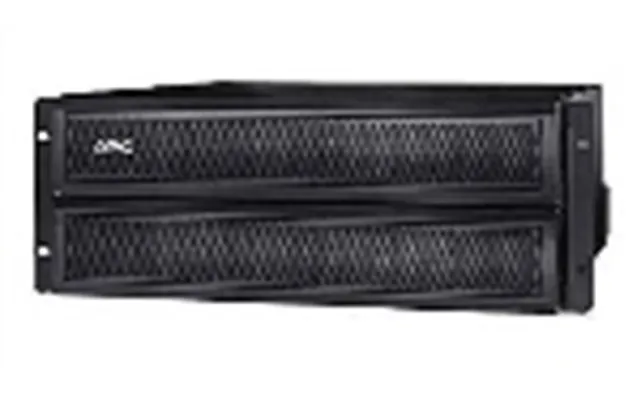
The reference data features the APC SMX120BP Smart-UPS X 120V Short Depth External Battery Pack Tower Rack Convertible. This external battery pack is listed by The Twister Group at a price of $1,012.12.
As its name suggests, the product is designed as an external battery pack for APC Smart-UPS X systems. It is also described as tower and rack convertible, which makes it relevant for setups where equipment may need to be positioned in different ways. Before purchasing, you should confirm that your existing UPS is compatible with this specific accessory.
An external battery pack is an accessory designed to work alongside a compatible UPS. Its main purpose is to support the UPS battery system, helping the overall setup handle longer runtime requirements when properly paired with the appropriate equipment.
Why might that matter? A short power interruption may not be a major concern for every user. But if you operate equipment that needs time for an orderly shutdown, or if even a brief interruption could disrupt work, additional battery capacity may be worth considering. The right external battery pack can act like an extra reserve tank for your power protection system.
Runtime depends on several factors, including the UPS model, connected load, battery condition, and the number of accessories used. For that reason, you should not assume that adding an external battery automatically produces the same result in every setup.
Start by listing the equipment you want to protect. Include computers, network devices, storage equipment, displays, and other essential electronics. Then review the specifications for your UPS and the external battery pack. Matching the accessory to the system is the key step; more battery capacity is useful only when the UPS is built to support it.
The featured APC SMX120BP stands out because it combines several practical design details in one accessory. It is identified as a Smart-UPS X external battery pack, uses a 120V configuration, and is described as short depth. These details may be especially relevant when you are working with limited equipment space.
The tower and rack convertible design is another important point. Some environments use rack-mounted equipment, while others rely on tower-style placement. A convertible format can give you more flexibility when planning the physical layout, although you should still verify the installation requirements for your specific UPS and enclosure.
Short-depth equipment can be useful when a standard cabinet or equipment area has limited front-to-back space. Instead of forcing a bulky component into an unsuitable location, a short-depth design may make planning easier. Still, available space is only one part of the decision.
Measure the area where you intend to place the accessory and compare it with the manufacturer’s specifications. Leave appropriate room for connections, ventilation, and safe access. A compact footprint does not remove the need for careful installation planning.
A tower setup usually places equipment in an upright position, while a rack installation positions compatible hardware within a rack environment. The best choice depends on your equipment layout, available space, and how your power system is organized.
If your equipment already uses a rack, a rack-compatible accessory may help maintain a clean and organized arrangement. If you use standalone equipment, a tower configuration may be more practical. The APC SMX120BP is described as tower rack convertible, giving it relevance for either type of setup, subject to compatibility and installation requirements.
Before adding a rack-compatible UPS accessory, review the space available in the rack and consider how the battery pack will connect to the UPS. Cable routing matters, too. A tidy layout can make inspection and maintenance simpler, while a crowded arrangement can make even basic troubleshooting feel like solving a puzzle in the dark.
You should also consider the weight and placement of the equipment. Follow the applicable installation guidance for the UPS and battery pack, and avoid treating a rack accessory like an ordinary desktop component. Proper support and positioning are essential for a dependable setup.
For a tower configuration, choose a stable, level location with enough room around the equipment. Keep the area clear of clutter and ensure that the connections can be made without stretching or pinching cables.
A tower arrangement may suit offices, work areas, and equipment rooms where a full rack is unnecessary. Even in a simple setup, organization pays off. Place the UPS and external battery pack where you can identify them easily and inspect the connections without moving other electronics.
Compatibility should be your first filter when comparing UPS accessories. The featured product is specifically associated with APC Smart-UPS X systems, so it should not be treated as a universal battery pack for every UPS brand or model.
Check the exact model name of your UPS and compare it with the accessory information. Pay attention to the system family, voltage configuration, connector requirements, and installation format. A similar-looking battery pack may not work correctly with your equipment.
It is also useful to review your current battery setup. If your UPS already includes a battery expansion system, confirm how many external packs it supports and whether any limitations apply. When in doubt, rely on the manufacturer’s compatibility documentation rather than guessing based on appearance.
The APC SMX120BP is listed at $1,012.12 from the twister group. That price gives you a clear starting point for comparison, but the product’s value depends on how well it fits your power protection needs.
Rather than focusing only on the number, ask what problem the accessory is meant to solve. Do you need more runtime? Are you supporting equipment that cannot be shut down immediately? Would a tower and rack convertible design make your installation easier? If the answer to these questions is yes, the accessory may be more useful than a lower-priced item that does not match your system.
Because prices and listings can change, review the current offer details before making a purchase decision. ZoneOffer is a comparison site, not a store, so you should use the listed information as a reference point while checking the latest details from the seller.
Businesses often depend on equipment that must remain available during unstable power conditions. Network devices, storage systems, workstations, and communications hardware can all be affected by an interruption. An external battery pack may be worth considering when a brief outage could create lost work, interrupted services, or an unplanned shutdown.
The right accessory does not replace good backup practices. You should still maintain copies of important data, use suitable surge protection, and plan how equipment will shut down during a prolonged outage. A UPS accessory is one part of a broader continuity strategy, not a magic shield for every electrical problem.
Start by identifying which electronics are truly essential. Not every device needs the same level of backup. A primary workstation, network connection, or storage device may deserve priority over equipment that can simply be turned off.
Once you know what matters most, consider whether the UPS and external battery pack combination can support the connected load. Avoid connecting unnecessary equipment just because an outlet is available. Focus your backup capacity where it can make the biggest difference.
Installation begins with reading the product and UPS documentation. Confirm the correct connection method, placement options, and supported configuration before connecting the external battery pack. If the setup is part of a rack environment, plan the mounting arrangement before lifting or positioning equipment.
Maintenance also deserves attention. Inspect cables and connections periodically, keep the area free of dust and obstruction, and monitor any alerts produced by the UPS. Battery systems age over time, so a power protection plan should include awareness of battery condition and replacement needs.
Do not ignore unusual behavior. Unexpected alarms, visible damage, excessive heat, or irregular operation should be addressed according to the manufacturer’s guidance. Electrical equipment is not the place for trial and error.
One common mistake is buying based only on brand or appearance. Even when two accessories look similar, their voltage, connectors, system compatibility, and physical format may differ. The APC SMX120BP is associated with the APC Smart-UPS X family, so that relationship should guide your research.
Another mistake is overlooking the installation environment. A product described as tower rack convertible offers flexibility, but you still need to know whether your space, cabinet, cables, and mounting arrangement can accommodate it.
Some buyers also focus on the lowest upfront cost without considering the equipment they are protecting. A less expensive accessory may be poor value if it cannot support the required UPS system. Compare function, fit, and intended use alongside price.
When comparing products online, make a simple checklist. Record the brand, product family, voltage configuration, physical format, compatibility details, listed price, and seller. This approach helps you compare like with like instead of getting distracted by vague descriptions.
For the featured offer, the key details are APC branding, Smart-UPS X compatibility, a 120V configuration, short-depth construction, and tower rack convertible positioning. The listed seller is the twister group, and the listed price is $1,012.12.
Use these details as a starting point, then verify the current listing and compatibility information before buying. A few minutes of careful checking can prevent a costly mismatch.
An external battery pack may make sense if your UPS supports one and you need additional runtime for important electronics. It can be particularly relevant when a shutdown cannot happen immediately or when your equipment requires extra time during a power interruption.
It may not be necessary for every user. If your protected equipment can shut down quickly and your existing UPS already meets your needs, adding an accessory may provide little practical benefit. The smartest purchase is the one that solves a real problem rather than adding complexity for its own sake.
Ask yourself a straightforward question: what would happen if the power stopped right now? If the answer includes lost work, interrupted services, or equipment that needs more time to shut down safely, researching a compatible external battery pack could be a sensible next step.
The APC SMX120BP Smart-UPS X 120V Short Depth External Battery Pack Tower Rack Convertible is a specialized UPS accessory listed at $1,012.12 from the twister group. Its external battery design, short-depth description, and tower rack convertible format make it worth considering for compatible APC Smart-UPS X setups. Before purchasing, confirm compatibility, evaluate your runtime needs, review the installation space, and compare the current listing details. With the right accessory, your UPS setup can become a stronger foundation for protecting important electronics.