

Keyboard & Mouse Wrist Rests price list
Last updated Tuesday, Oct 13, 2026
| Keyboard & Mouse Wrist Rests | Price |
|---|---|
| Wrist Rest | $47.00 |




View 5 Offers
Loading...
Last updated Tuesday, Oct 13, 2026
| Keyboard & Mouse Wrist Rests | Price |
|---|---|
| Wrist Rest | $47.00 |
Long hours at a keyboard or mouse can make your desk feel less like a workspace and more like a pressure point. A wrist rest adds a small layer of support where your hands meet the desk, helping create a more comfortable setup for work, study, gaming, or browsing. The right choice depends on your habits, preferred materials, available space, and budget.
ZoneOffer is a comparison site that helps you review products and listed offers in one place. In the current selection, you can find a dedicated wrist rest, silicone and memory foam pads, a large EVA wrist pad, and even a portable Bluetooth keyboard with a touchpad. These options are not identical, so comparing their intended use is just as important as comparing their prices.
Your hands do a great deal of work during a typical computer session. They move, pause, type, click, and repeatedly shift between keys and controls. A wrist rest works like a small bridge between your hands and the desk, giving your wrists a softer surface and a more consistent resting position.
Comfort is personal, of course. Some people prefer a firm surface that keeps the wrist steady, while others like the cushioning of memory foam or silicone. A sloping design may also feel more natural than a flat pad because it creates a gradual transition from the desk to the keyboard area.
It is useful to remember that a wrist rest is a comfort accessory, not a substitute for sensible posture or regular breaks. Even the best pad cannot make an awkward workstation feel perfect forever. Think of it as one piece of the setup puzzle.
The reference selection includes several products with different shapes, materials, and intended uses. Some are designed for keyboard support, while others are described as mouse pads or computer wrist pads. Looking at those distinctions can help you avoid choosing a product that does not match your desk.
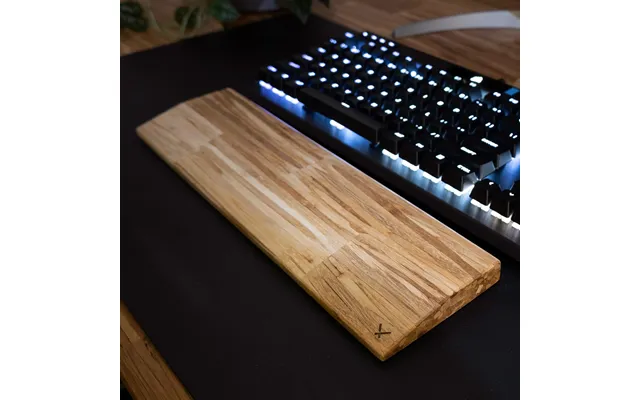
The ChopValue Wrist Rest is listed with a smooth finish and a sloping structure. Its stated dimensions are about 14 inches long, 3.7 inches wide, and 0.7 inches high. That elongated format may suit someone who wants a dedicated support surface across the front of a keyboard.
The product description presents it for gaming, working, and surfing the web. That broad positioning makes it one of the more straightforward choices in the selection for people who want a traditional wrist rest rather than a mouse-focused pad. Its listed price is $47 at Cerqular.
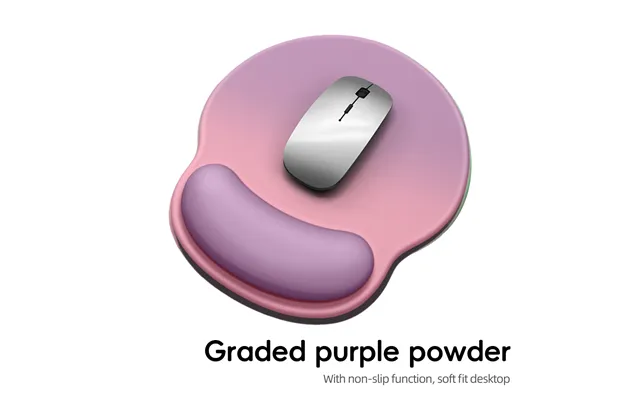
The gradient silicone wrist rest is listed at $3.65 through Voghion. Its description highlights a soft, comfortable, and anti-slip design for a computer, mouse, PC, laptop, or pad. If you want a low-cost way to experiment with wrist support, this option stands out for its lower listed price.
Silicone can be appealing when you prefer a smooth surface with a flexible feel. The listing does not provide dimensions, so you should compare the available size details before deciding whether it will fit your keyboard, mouse area, or laptop workspace.
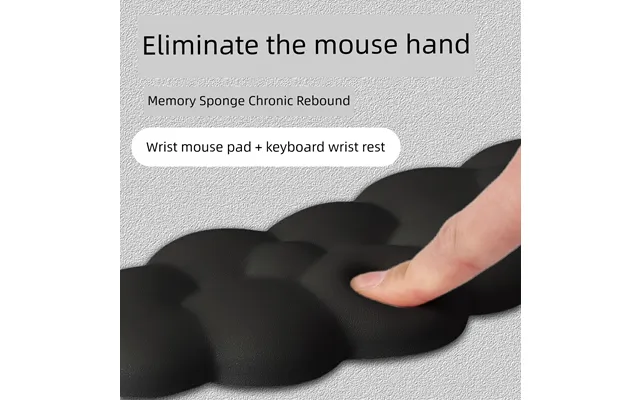
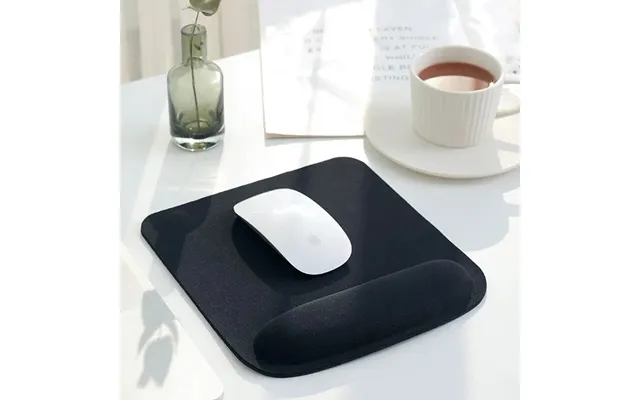
The black memory foam wrist pad is listed at $10.67 through Voghion. Its product title describes it as a mouse protector, office keyboard support, and computer hand wrist pad. The description also refers to a cloud-like design and memory foam construction.
Memory foam is often chosen by shoppers who want cushioning rather than a hard or rigid support surface. This product may be worth considering if your priority is a softer feel during office work or computer use. The listing does not include measurements, so check the product details before planning its position on your desk.
The colorful EVA wrist pad is listed at $5.86 through Voghion. It is described as a large, thickened, non-slip pad for learning and office use. The larger format may appeal to people who want more surface coverage around a mouse or keyboard area.
EVA is a lightweight material commonly used in cushioned accessories. Here, the listing emphasizes thickness and a non-slip design. Since no dimensions are included in the reference data, compare the size information available on the offer page with your desk before purchasing.
Material changes the personality of a wrist rest. Silicone tends to suggest a smooth and flexible surface, memory foam points toward cushioning, and EVA is associated in this selection with a thickened pad format. Which one sounds most comfortable to you?
If you like a softer, more cushioned contact point, the memory foam option may be the natural place to start. If you want a flexible surface with an anti-slip focus, the silicone model may fit better. For shoppers who want a colorful and larger pad for study or office use, the EVA option offers a different approach.
These descriptions are based on the listed product information, not on a universal guarantee of comfort. Wrist shape, desk height, keyboard thickness, and personal preference all matter. A surface that feels supportive to one person may feel too soft, too firm, or too low to another.
One of the easiest ways to narrow your options is to ask where you want support. A keyboard wrist rest usually runs horizontally in front of the keyboard. A mouse wrist pad is commonly placed beneath the hand that controls the mouse. Some products can be used in either area, but their size and shape determine how practical that will be.
The ChopValue model is described specifically as a wrist rest for gaming, working, and web browsing, with dimensions suited to a horizontal support surface. The Voghion listings use broader wording, including mouse, computer, laptop, office, and keyboard support. That makes it especially important to review the product layout and dimensions before choosing.
Do you spend most of your time typing, or does your hand stay on the mouse? Your answer can save you from buying a pad that looks appealing but does not cover the area you actually use.
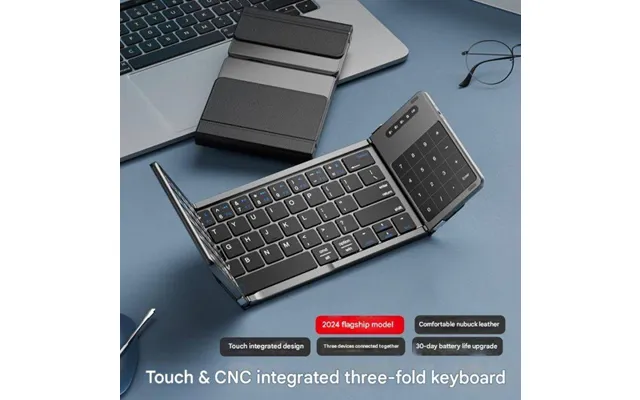
The folding Bluetooth wireless keyboard with touchpad is listed at $69.99 through Gshopper. Its title describes compatibility with a laptop, iPad, tablet, mobile phone, and office use. The product is not a wrist rest, but it may be relevant if you are building a compact or portable workstation.
A folding keyboard can help people who move between devices or work in different locations. The integrated touchpad also places keyboard and cursor control in one portable accessory. However, the reference data does not provide measurements, battery details, operating system information, or a specific brand, so those points should be checked before purchase.
The listing states that coupon code gshopper10 saves $10. Based on the listed price of $69.99, the coupon may bring the price to $59.99 if the offer terms allow it. Confirm the code and final amount at the relevant offer page, since comparison listings and promotional terms can change.
Start with your keyboard or mouse position. Your wrist rest should not force your hands upward or make you reach farther than usual. A support surface that sits too high can change your hand angle, while one that is too low may not provide the comfort you expect.
Next, consider desk space. The ChopValue wrist rest has listed dimensions of approximately 14 by 3.7 by 0.7 inches, giving you a useful reference for a keyboard-style support surface. The other wrist pad listings do not include measurements in the supplied data, so you will need to verify their dimensions separately.
Then think about movement. If you frequently move your mouse across a wide area, a large pad could be convenient, but it may also occupy more desk space. If you work from a small table or travel often, a compact option may be easier to manage.
Office and study setups often involve long periods of typing, reading, and mouse use. The ChopValue Wrist Rest is described for working and web browsing, while the colorful EVA option is described for learning and office use. These descriptions make both relevant starting points for a desk-based comparison.
The best choice may depend on whether you prefer a dedicated keyboard rest or a larger pad. A sloping wrist rest can create a defined support zone, while a thickened pad may offer broader coverage. Take a quick look at your desk: is your priority a neat keyboard edge or more room around the mouse?
The ChopValue listing specifically mentions gaming and surfing the web. That makes it a relevant option for users who want a support surface during recreational computer use as well as regular work.
Gaming setups can vary widely. Some players want a stable wrist position, while others need freedom to move the mouse. Before selecting a pad, consider whether your hand stays mostly in one place or travels across the desk. The answer can guide you toward a narrow support or a larger surface.
The listed prices range from $3.65 to $69.99. The gradient silicone wrist rest is the lowest-priced wrist-support option in this selection at $3.65, followed by the colorful EVA wrist pad at $5.86. The black memory foam wrist pad is listed at $10.67.
The ChopValue Wrist Rest is listed at $47, while the folding Bluetooth keyboard with touchpad is listed at $69.99. These products serve different purposes, so price alone does not tell the whole story. Comparing a keyboard accessory with a wrist pad is like comparing a desk lamp with a chair: both can improve a workspace, but they solve different problems.
Prices shown here come from the supplied comparison data. They may not include every possible cost, and the reference does not provide shipping charges, taxes, or availability details. Review the current offer information before making a final decision.
First, confirm the product type. A wrist rest, mouse pad, and folding keyboard are not interchangeable. Read the title carefully and make sure the accessory matches the part of your workstation you want to improve.
Second, check dimensions. Only the ChopValue listing supplies measurements in the reference data, while the other wrist-support products do not. Size is especially important if your desk is narrow or your keyboard has a distinctive layout.
Third, review the material and design language. Terms such as silicone, memory foam, EVA, sloping, soft, thickened, and anti-slip help describe the intended feel and structure. They do not replace your own judgment, but they make it easier to compare similar products.
Finally, verify the current offer details. The Gshopper listing includes a specific coupon code, while the other listed offers do not include coupon information in the supplied data. Confirm the final price, availability, and any applicable terms on the relevant offer page.
When several products look similar, comparison saves time. ZoneOffer brings the supplied offers into a single view so you can compare product descriptions, listed prices, brands where provided, and stores. It is a comparison site, not a store, so the listed merchants remain the source of the individual offers.
This approach is useful when you are unsure whether you want a simple silicone pad, a cushioned memory foam design, a thickened EVA surface, or a more structured wrist rest. Instead of focusing on one feature, you can compare the entire picture: purpose, material, size information, price, and any stated promotion.
The right wrist rest can make your desk feel more comfortable and intentional without requiring a major setup overhaul. The current selection includes the sloping ChopValue Wrist Rest, a low-cost gradient silicone option, a black memory foam pad, and a colorful thickened EVA wrist pad. A folding Bluetooth keyboard with touchpad adds a portable accessory for users who want flexible device support. Compare the intended use, material, size details, and listed price, then verify the current offer before choosing the option that best fits your hands and workspace.