


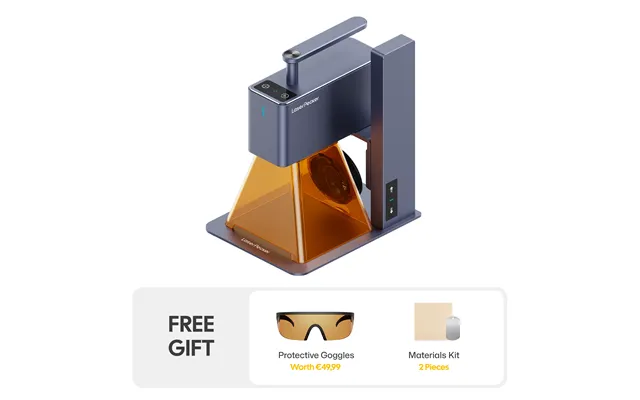
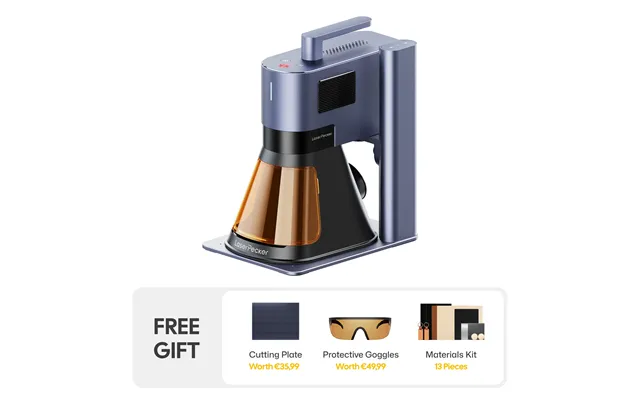
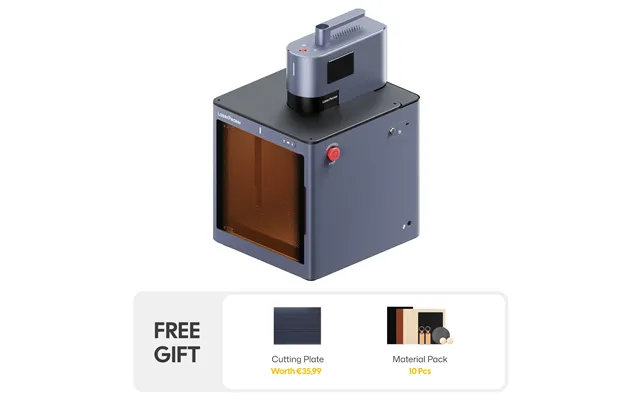
LaserPecker price list
Last updated Wednesday, Oct 14, 2026





| Store | Status | today | distance |
|---|
Loading...
Loading...
Last updated Wednesday, Oct 14, 2026
Laser engraving has moved from specialist workshops into home studios, classrooms, small businesses, and creative garages across the United States. One brand that helped push this change is LaserPecker. Known for compact laser engravers, portable designs, and beginner-friendly software, the company has built a strong name among makers who want professional-looking results without buying a huge industrial machine.
But how did LaserPecker become popular in the US? What makes its store different from larger American retailers? And is it the right choice when compared with brands such as xTool, Glowforge, OMTech, and Cricut? These are useful questions because the laser engraving market is crowded. A polished website alone does not tell you which machine fits your work, budget, or safety needs.
This guide explores the history of the LaserPecker store in the United States, its product direction, customer appeal, and position in the wider market. It also compares LaserPecker with similar US-facing stores so you can make a more informed buying decision.
LaserPecker began as a technology brand focused on making laser engraving smaller, more portable, and easier to use. The company emerged from Shenzhen, China, a city well known for electronics manufacturing and hardware innovation. Its early products attracted attention because they looked very different from the large frame-style machines that dominated the market.
Traditional laser engravers often require a dedicated table, a computer, ventilation, and a fair amount of technical knowledge. LaserPecker took another path. It designed compact devices that could fit into a small workshop or travel with the user. This approach appealed to people who wanted to personalize gifts, test a craft business, or experiment with engraving without turning a room into a factory.
The brand gained visibility through online campaigns, product demonstrations, and direct-to-consumer sales. Its machines appeared in videos showing engraved wood, leather, paper, acrylic, coated metal, and other materials. The demonstrations were simple and visual. A blank item went into the machine, and a detailed design appeared within minutes. That kind of content naturally performed well on social media and crowdfunding platforms.
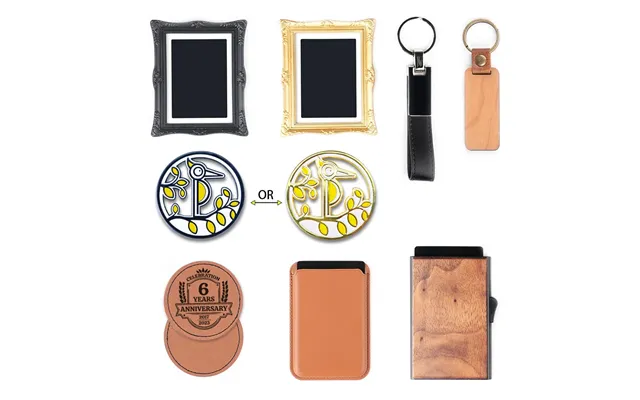
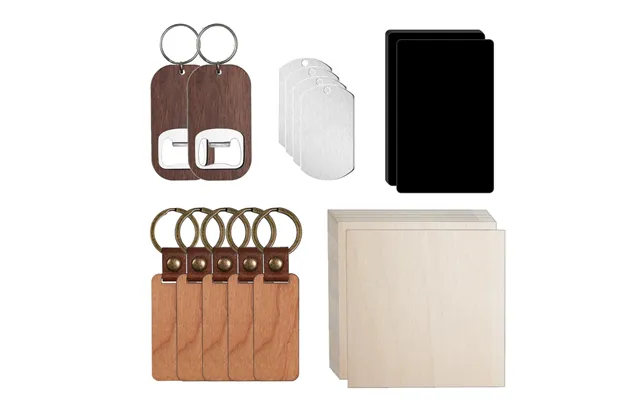
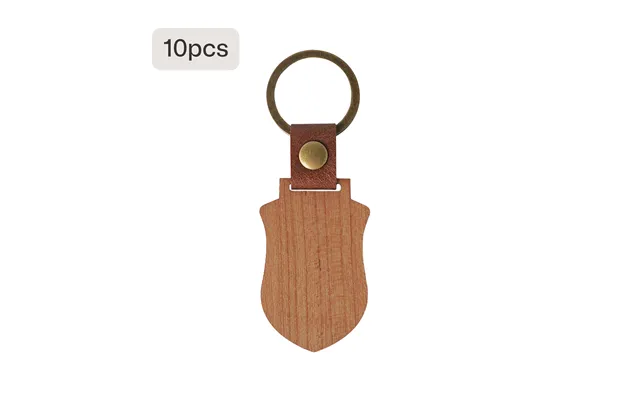
LaserPecker’s early appeal came from its mix of convenience and novelty. The devices were small enough for a home office, yet they could produce personalized products with a clear commercial value. A new seller could engrave keychains, wallets, signs, jewelry, coasters, and branded gifts. A hobbyist could turn a favorite drawing into a physical object.
The brand also understood an important market shift. Many consumers did not want to learn every technical detail of laser cutting before making their first project. They wanted a smoother start. LaserPecker placed emphasis on mobile control, visual design tools, modular accessories, and a less intimidating setup. This helped it reach beginners who might have avoided a larger machine.
In the United States, LaserPecker primarily grew through online retail. Its official US-facing store allows customers to browse machines, accessories, replacement parts, bundles, and selected materials. This direct model gives the company control over product presentation, pricing campaigns, customer education, and support information.
The store also reflects the way many modern hardware brands sell. Instead of relying only on physical dealers, LaserPecker uses product pages, video tutorials, email campaigns, social media, and online communities. Customers can compare models, watch engraving tests, and order accessories without visiting a specialist shop.
This approach is convenient, but it also places more responsibility on the buyer. A customer must understand shipping terms, warranty coverage, return rules, laser class, ventilation needs, and material limits. Before ordering, it is wise to read the current US store policies rather than rely on an old review or a third-party listing.
LaserPecker’s product development has followed a familiar pattern in the maker industry. The company started with highly portable engravers and gradually introduced more capable models. Newer generations have offered higher power, larger working areas, improved speed, rotary engraving, air-assist options, protective enclosures, and support for a wider range of materials.
The brand now serves several types of customers. Beginners may choose a small diode machine for simple engraving. Side-hustle owners may look for a stronger model that can handle repeated orders. More advanced users may want rotary accessories, conveyor-style solutions, or a machine capable of working with harder materials.
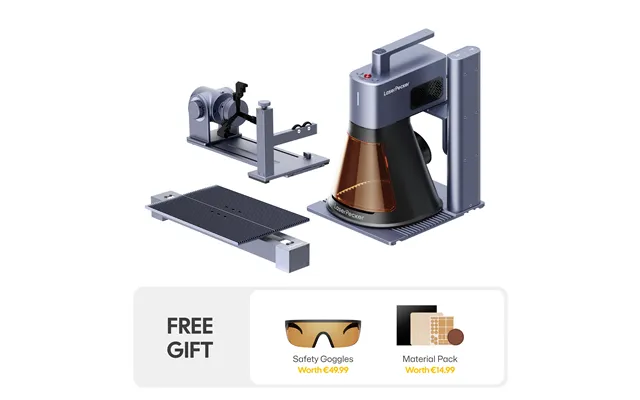
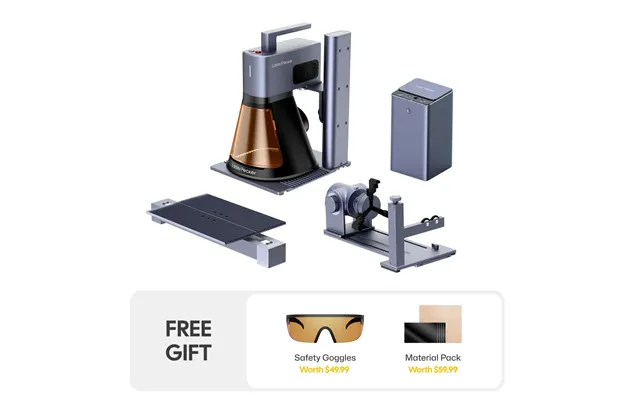
LaserPecker has also expanded the idea of what a laser engraver can be. Instead of selling only a box with a laser head, it sells an ecosystem. The core machine is important, but so are the rotary roller, protective shield, extension parts, exhaust options, and software experience. This creates a path for customers to begin small and add capability later.
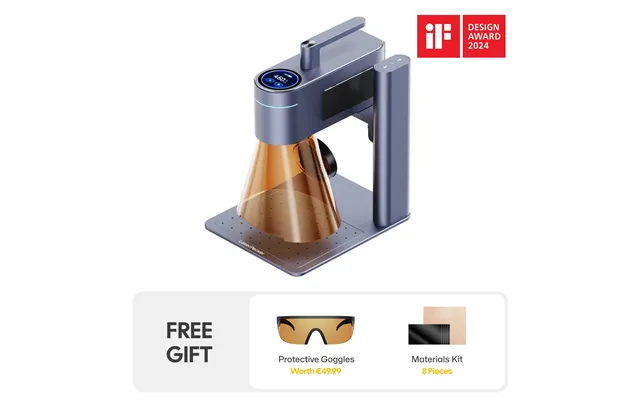
The clearest LaserPecker advantage is portability. Many models are designed for users who do not have a permanent workshop. You can place a compact machine on a sturdy table, complete a project, and store it when the work is finished. For apartment residents, teachers, craft sellers, and mobile creators, this can make a real difference.
Think of a large flatbed laser as a workshop workhorse. LaserPecker is more like a powerful tool kit that can move with you. It may not replace every industrial machine, but it can be easier to bring into daily life.
Another major selling point is mobile control. Depending on the model and software version, users can connect through a phone or another supported device to prepare and send designs. This lowers the barrier for beginners who are comfortable with mobile apps but less familiar with complex design software.
That simplicity is valuable for quick personalization projects. However, experienced designers may still prefer desktop software for detailed layouts, vector editing, color management, and production planning. Mobile control is a strength, but it should not be confused with unlimited design power.
LaserPecker machines can work with selected wood, leather, paper, cardboard, coated metal, acrylic, and other materials, depending on the model and laser type. The exact result depends on the material, thickness, coating, color, moisture, and machine settings.
Buyers should never assume that a material is safe simply because it appears in a product video. Some plastics release toxic fumes when heated. Certain treated woods, vinyl products, and unknown materials can create dangerous smoke or damage the machine. Always check the material guidance and use proper ventilation.
xTool is one of the closest competitors to LaserPecker in the US market. Both brands target makers, small businesses, and home users. Both sell diode and other laser systems, accessories, enclosures, rotary tools, and software-driven products.
LaserPecker generally stands out for compact, portable machines and a distinctive product shape. xTool often offers a broader range of machine sizes, including larger systems built for cutting and more demanding production. If portability is your first concern, LaserPecker may feel more attractive. If you want a wide upgrade path and a larger work area, xTool may offer more choices.
xTool also has a strong presence in the US maker community, with extensive tutorials, accessories, and a large user base. Its product catalog can feel more complete, although that variety may make the buying process harder for a newcomer. LaserPecker’s smaller catalog can feel easier to understand.
In short, choose LaserPecker when space and portability matter most. Consider xTool when you expect larger projects, deeper cutting, or a broader machine ecosystem.
Glowforge built a powerful reputation in the US by presenting laser cutting as a polished, approachable creative tool. Its machines are known for enclosed designs, guided workflows, visual positioning features, and strong appeal among schools, crafters, and small creative businesses.
Compared with Glowforge, LaserPecker often offers a more portable and flexible form factor. Glowforge machines usually feel like dedicated desktop appliances. They are designed to stay in one place and provide a controlled user experience. LaserPecker models can be easier to move and may suit users with less room.
Glowforge has traditionally emphasized its own cloud-based software experience. That can be convenient, but it also means the user depends on internet access and the company’s software system for important parts of the workflow. LaserPecker’s control options vary by model, but the brand is often viewed as more hardware-focused and mobile-friendly.
Glowforge may be the better match for someone who wants a refined enclosed system and a guided design process. LaserPecker may suit a maker who values portability, modular accessories, and a more hands-on approach.
OMTech occupies a different part of the market. The company is well known for larger CO2 laser machines, budget-conscious pricing, replacement parts, and equipment aimed at serious hobbyists and small production shops. Its machines can cut and engrave materials that many small diode machines cannot handle as effectively.
Compared with LaserPecker, OMTech machines are usually less portable and more demanding. Buyers may need a dedicated workspace, water cooling, ventilation, exhaust management, and stronger electrical planning. The learning curve can also be steeper.
That extra complexity brings more production potential. A small business making signs, boxes, layered artwork, or repeated acrylic products may prefer an OMTech CO2 system. A person making personal gifts at the kitchen table may find it excessive.
LaserPecker wins on convenience and compactness. OMTech often wins on cutting power, larger work areas, and workshop production. The right choice depends less on brand popularity and more on the materials and volume you plan to use.
Cricut is not a direct laser engraving competitor in every category, but it is a major alternative for people who want to make personalized products. Cricut cutting machines work with vinyl, paper, fabric, leather, and other craft materials. They are widely available in US retail stores and have a large beginner community.
A Cricut may be cheaper and simpler for decals, paper crafts, labels, and basic fabric work. It also has strong brand recognition and an accessible design platform. However, it does not replace a laser engraver when you want permanent engraving, burn marks, detailed wood designs, or direct marking on suitable hard materials.
LaserPecker offers a different creative process. The machine removes or changes the surface instead of cutting adhesive material and applying it. For personalized wooden gifts and engraved products, that difference matters. Cricut is often easier for traditional craft cutting, while LaserPecker opens the door to laser-based decoration.
Buying from the official store can make it easier to find accessories designed for a specific LaserPecker model. Rotary attachments, protective covers, replacement components, and extension tools are usually presented alongside the compatible machine. This can reduce the risk of buying an accessory that does not fit.
Official product pages may also include specifications, material examples, manuals, and setup resources. These details help customers compare machines before placing an order.
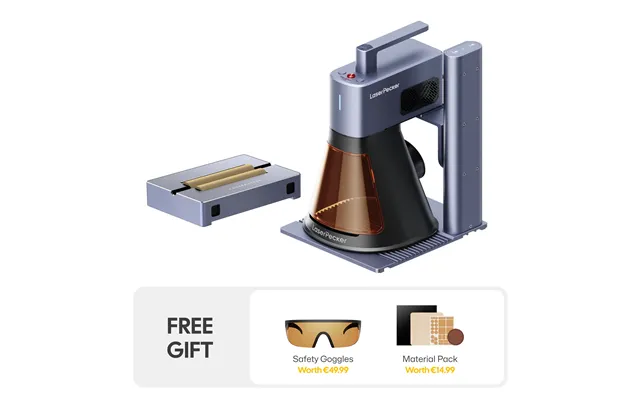
Laser equipment stores often use bundles to increase value. A package may combine the engraver with a rotary tool, enclosure, air-assist unit, or sample materials. During major US shopping periods, the store may also offer discounts or limited promotions.
Still, compare the bundle price with the cost of buying each item separately. A large discount is not useful if the package includes accessories you will never use. Focus on the workflow you want to build.
LaserPecker appeals strongly to first-time users. Its compact machines can help a new maker test the market before investing in a large production system. Someone selling engraved ornaments, nameplates, wedding gifts, or promotional items can begin with a manageable setup and scale later.
That does not mean the machine requires no learning. Laser work involves focus, speed, power, material testing, design preparation, cleaning, and safety. The advantage is that the initial physical setup may be less overwhelming than a large industrial laser.
Portability usually comes with a compromise. Compact machines may have smaller working areas than full-size desktop or CO2 systems. If you plan to engrave large signs, furniture panels, or batches of products, you may need an extension, a jig, or a different machine.
Measure your typical project before buying. A machine that looks perfect for jewelry may feel frustrating when you start making 12-inch signs.
Not every LaserPecker model performs the same way. Lower-power diode machines may engrave well but struggle to cut thick wood or opaque materials. Higher-power models can do more, yet they may cost more and require stronger safety controls.
Pay close attention to the difference between engraving and cutting. Engraving removes or darkens a surface. Cutting requires enough energy to pass through the material. Marketing images can make both tasks look equally easy, but they are not.
A small laser is still a laser. Users need eye protection appropriate to the machine, a controlled work area, fire awareness, and effective ventilation. An enclosure can help contain light and smoke, but it does not automatically make every setup safe.
Never leave an active laser unattended. Keep flammable objects away from the work area, inspect the machine regularly, and follow the manufacturer’s instructions. Safe habits protect your health, your home, and your investment.
LaserPecker is a strong option for home makers, creative entrepreneurs, teachers, gift sellers, and users who value a compact setup. It is particularly appealing when storage space is limited or when the machine needs to move between locations.
It may also suit a beginner who wants to learn laser engraving without immediately committing to a large workshop machine. The brand’s accessory approach lets users add functions as their skills grow.
On the other hand, a high-volume production shop may need a larger bed, faster batch processing, stronger cutting performance, and more advanced workflow tools. In that case, a larger xTool, Glowforge, OMTech, or another professional system may be a better long-term fit.
Start with your projects, not the product name. List the materials you want to engrave, the largest item you expect to make, and how often you will use the machine. Then consider your available table space, budget, ventilation plan, and comfort with technical setup.
Look at laser power, working area, supported materials, engraving speed, rotary compatibility, enclosure options, software, warranty terms, and replacement parts. Do not choose a model only because it has the highest power. Extra power may be unnecessary for simple personalization and can increase cost.
It is also smart to estimate the full purchase price. Include the machine, enclosure, ventilation, rotary attachment, shipping, spare parts, materials, and safety equipment. The advertised machine price is only the starting point for a complete working setup.
The US demand for personalized products remains strong. People want custom gifts, branded packaging, engraved keepsakes, wedding details, home signs, and small-batch products. This trend gives LaserPecker room to grow.
The company’s future will likely depend on more than releasing faster machines. Customers will expect safer enclosures, clearer software, better local support, dependable parts, and transparent shipping. They will also compare the brand with increasingly polished competitors.
If LaserPecker continues to combine portability with useful power, it can remain an important name in the home laser market. Its challenge will be balancing a beginner-friendly experience with the needs of serious creators who want repeatable commercial results.
LaserPecker has earned its place in the US laser engraving conversation by making the technology feel smaller, friendlier, and more reachable. Its history is closely tied to the rise of compact maker tools and direct online shopping. Compared with xTool, it often feels more portable; compared with Glowforge, more modular and hands-on; compared with OMTech, much easier to place in a home; and compared with Cricut, better suited to permanent engraving on suitable materials.
The best choice depends on your real workflow. If you want a mobile, compact machine for creative engraving and small business projects, LaserPecker deserves serious consideration. If you need large cuts, heavy production, or a broad industrial setup, another store may be the wiser choice. Either way, compare the complete cost, study the safety requirements, and choose the tool that matches the work you actually plan to do.